

What is RAW?
RAW is a very powerful tool in the world of photography and cinematography that allows the owner full control of every facet of the image in post. When used properly, RAW can aid you in crafting top-tier imagery. With that said, let’s dive in.
So, let’s start off with what RAW is. It is by definition an uncompressed and unprocessed file that comes straight from the camera’s sensor. Every bit of information that was captured by the camera is in the palm of your hand. That means if you overexposed an image in a certain area, you have a chance at bringing that portion back, or if you don’t like your color balance, you can change it with the flick of a wrist; you also have a large amount of color data to work with (12-16 bits), which provides you with maximum flexibility in post.
RAW: Exposure Balance (Bringing Back the Details)
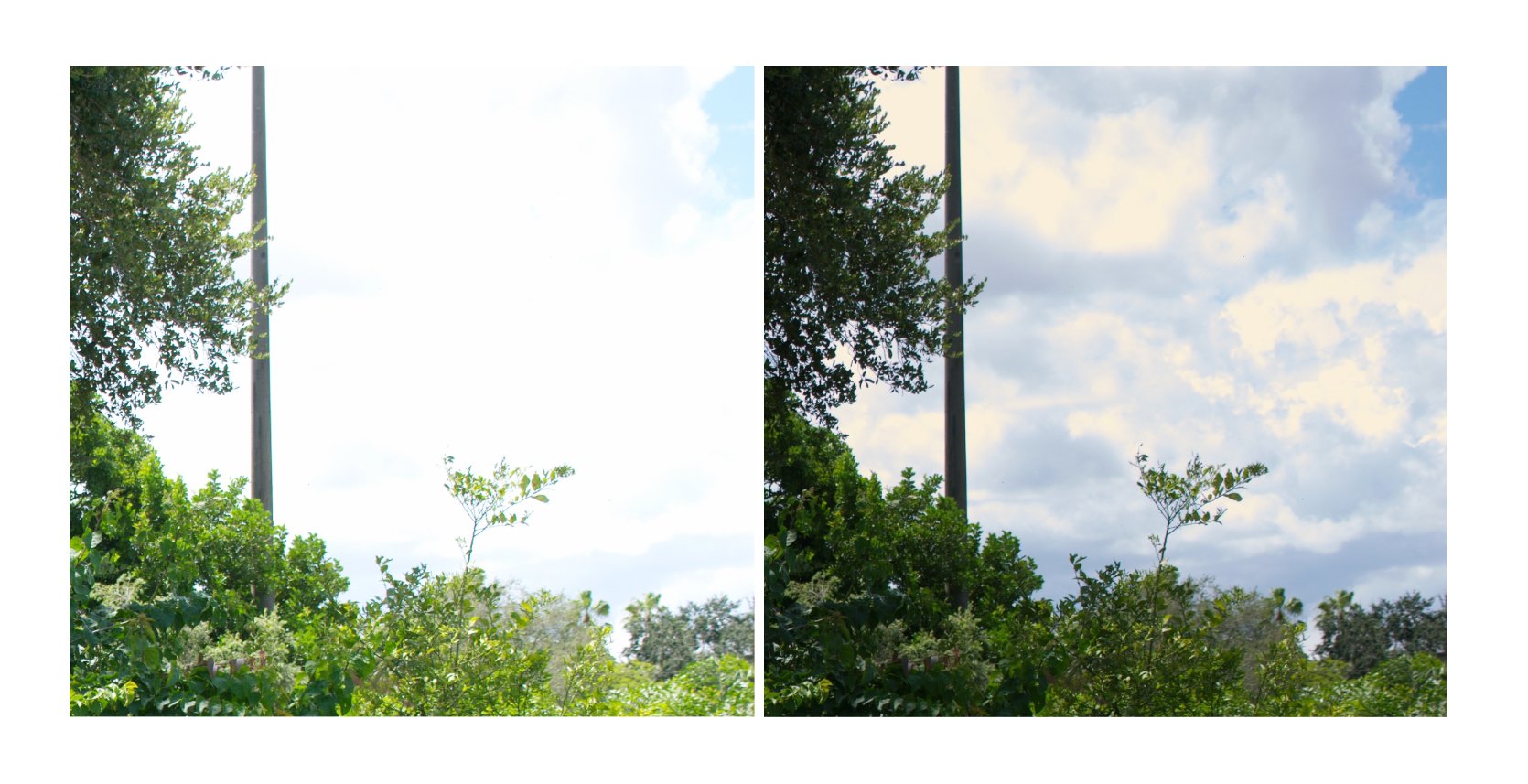
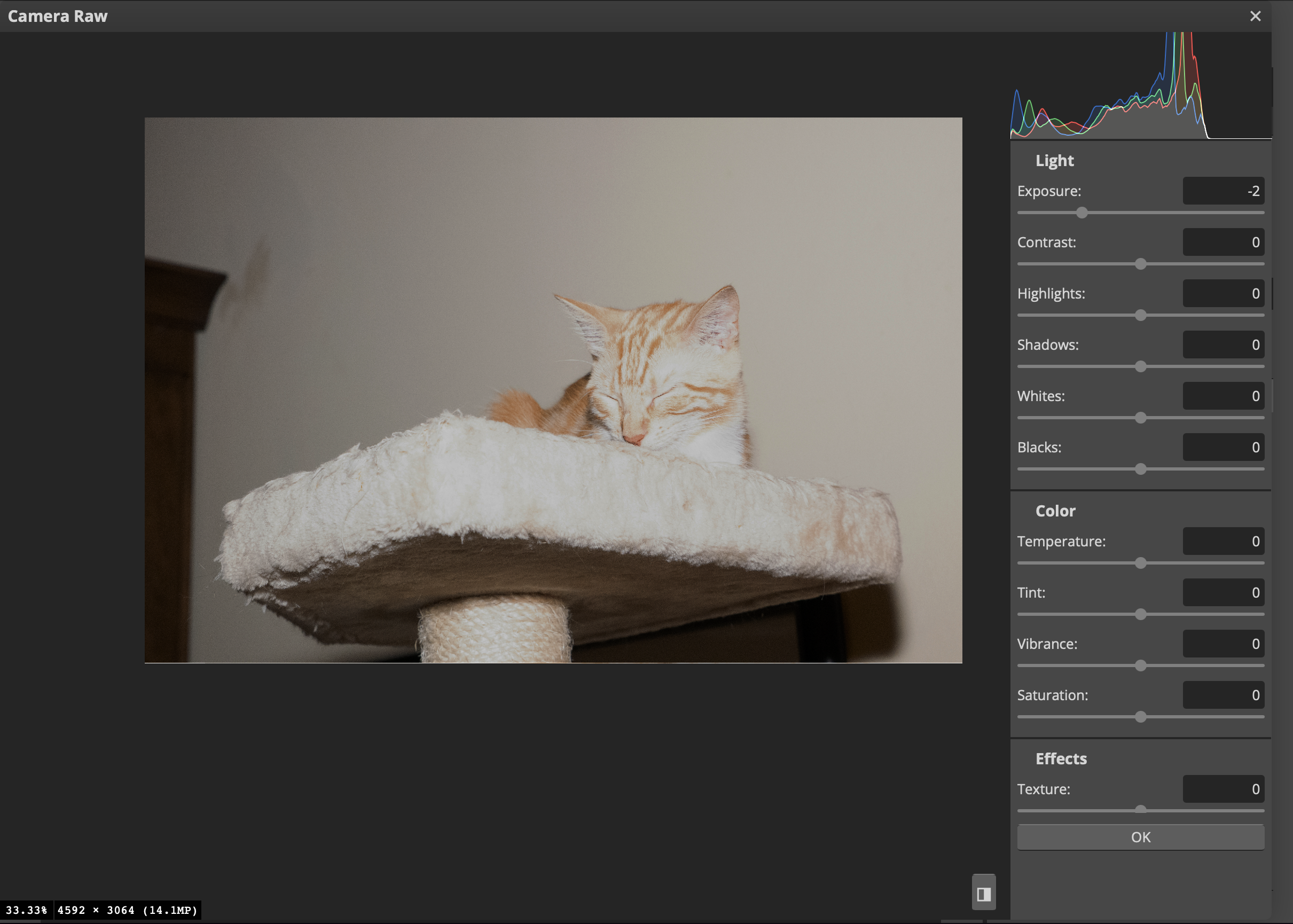
As stated in the previous paragraph, one of the benefits of shooting in RAW is the massive dynamic range. For demonstration purposes, I took a still photo of my cat using on-camera flash and purposely overexposed it by about one and a half stops; the image looks really washed out. If I had shot it in JPEG, I’d be in a lot of trouble, but with RAW, I can lower the exposure by two stops and retrieve any lost details with no issues.
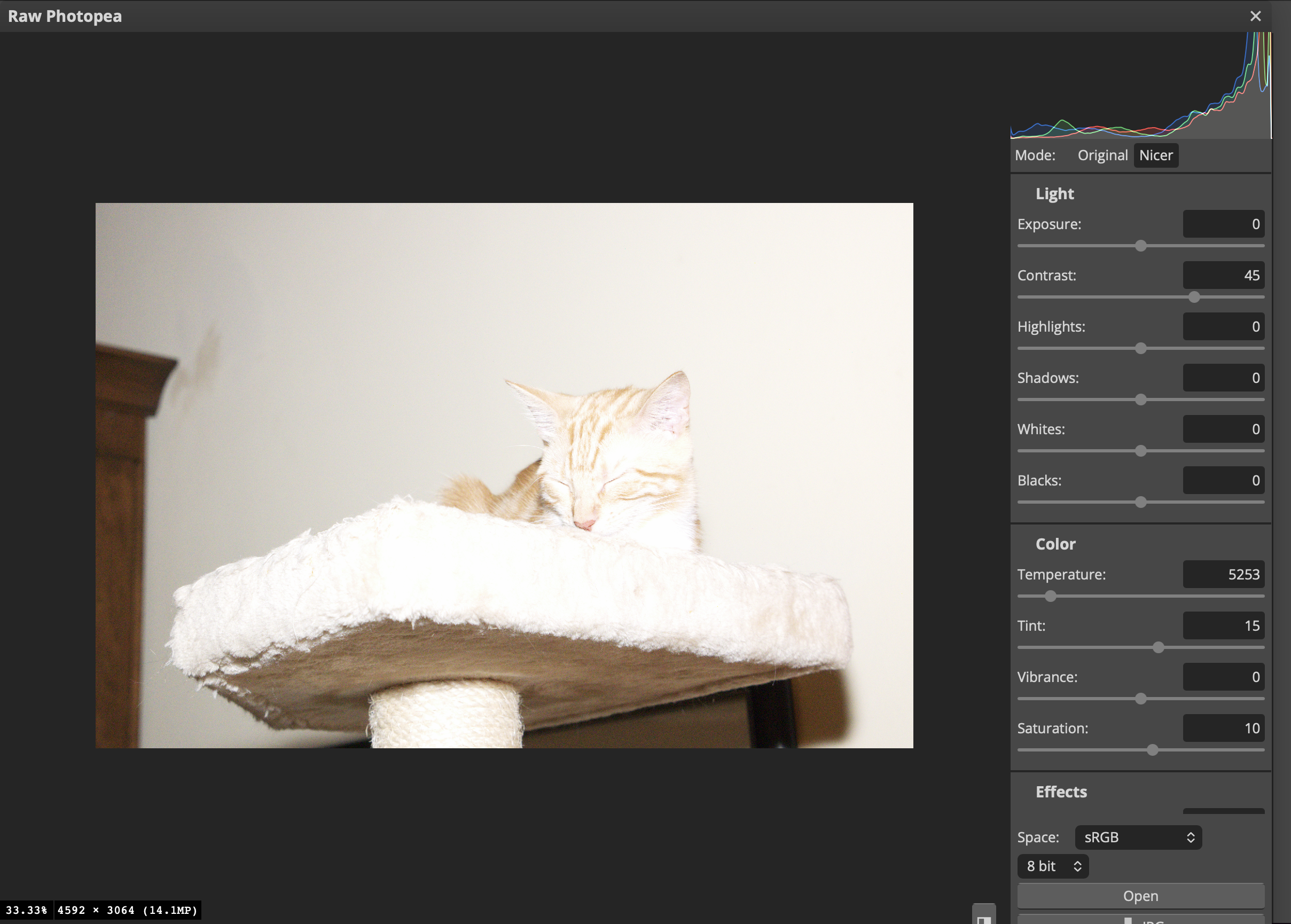
RAW Image.
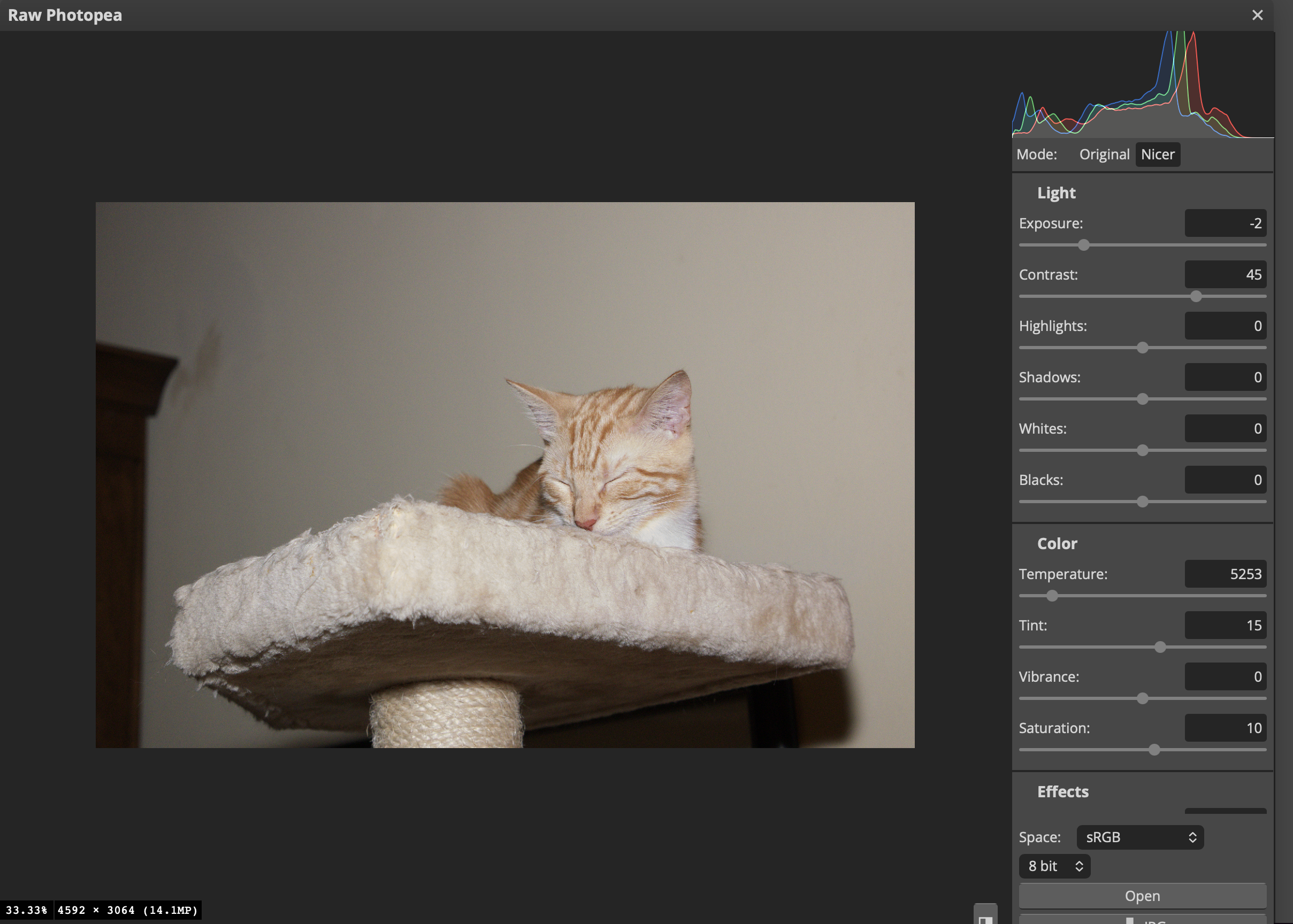
RAW Image lowered by 2 stops.
JPEG lowered by two stops.
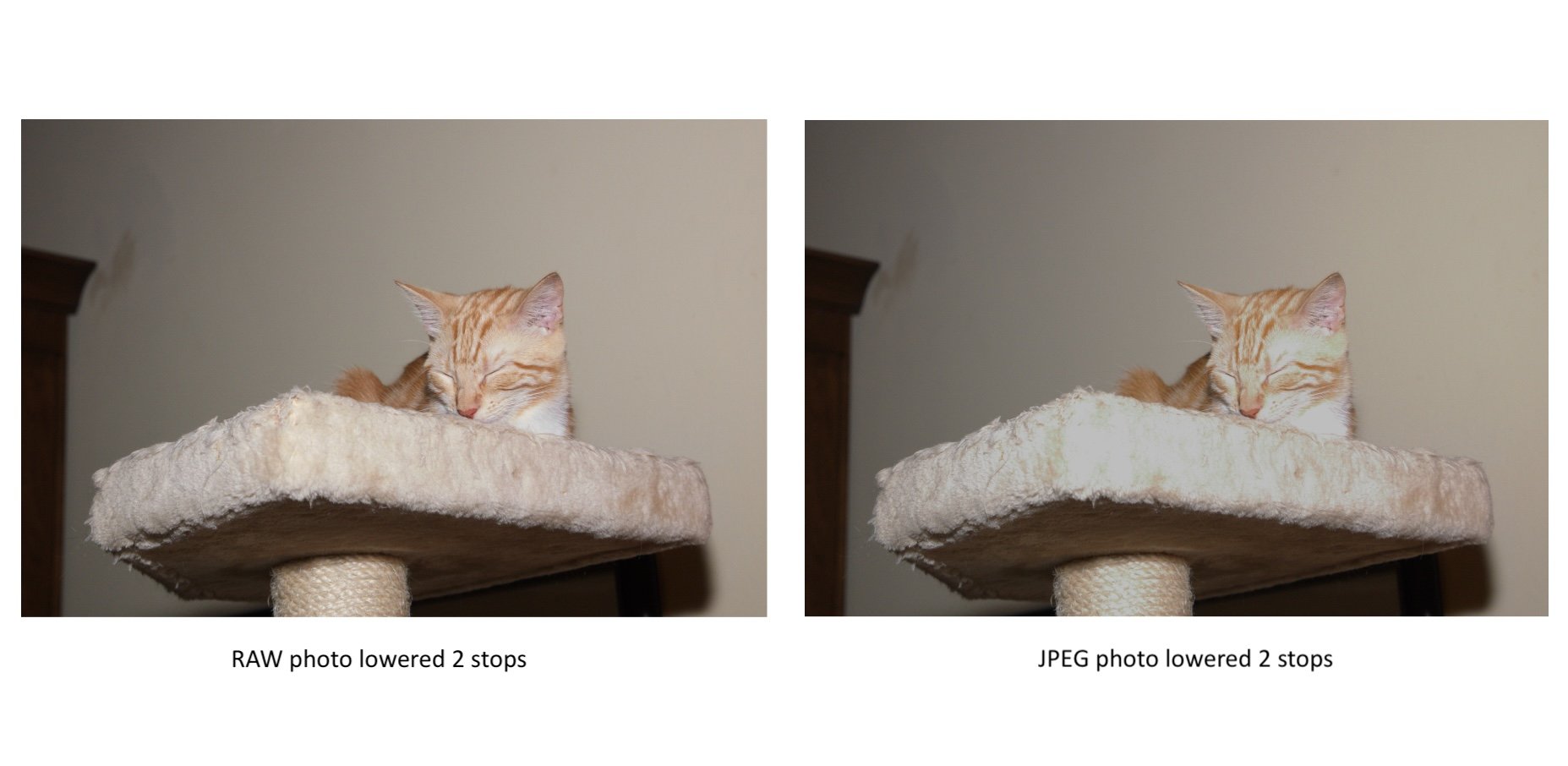
As you can see, when I tried to bring back the detail in the 8-bit JPEG, I couldn’t because of the limited amount of color information. I have no way of recovering any extra highlight detail that would have remained in the image if I were to have shot with RAW.
RAW: Color Temperature

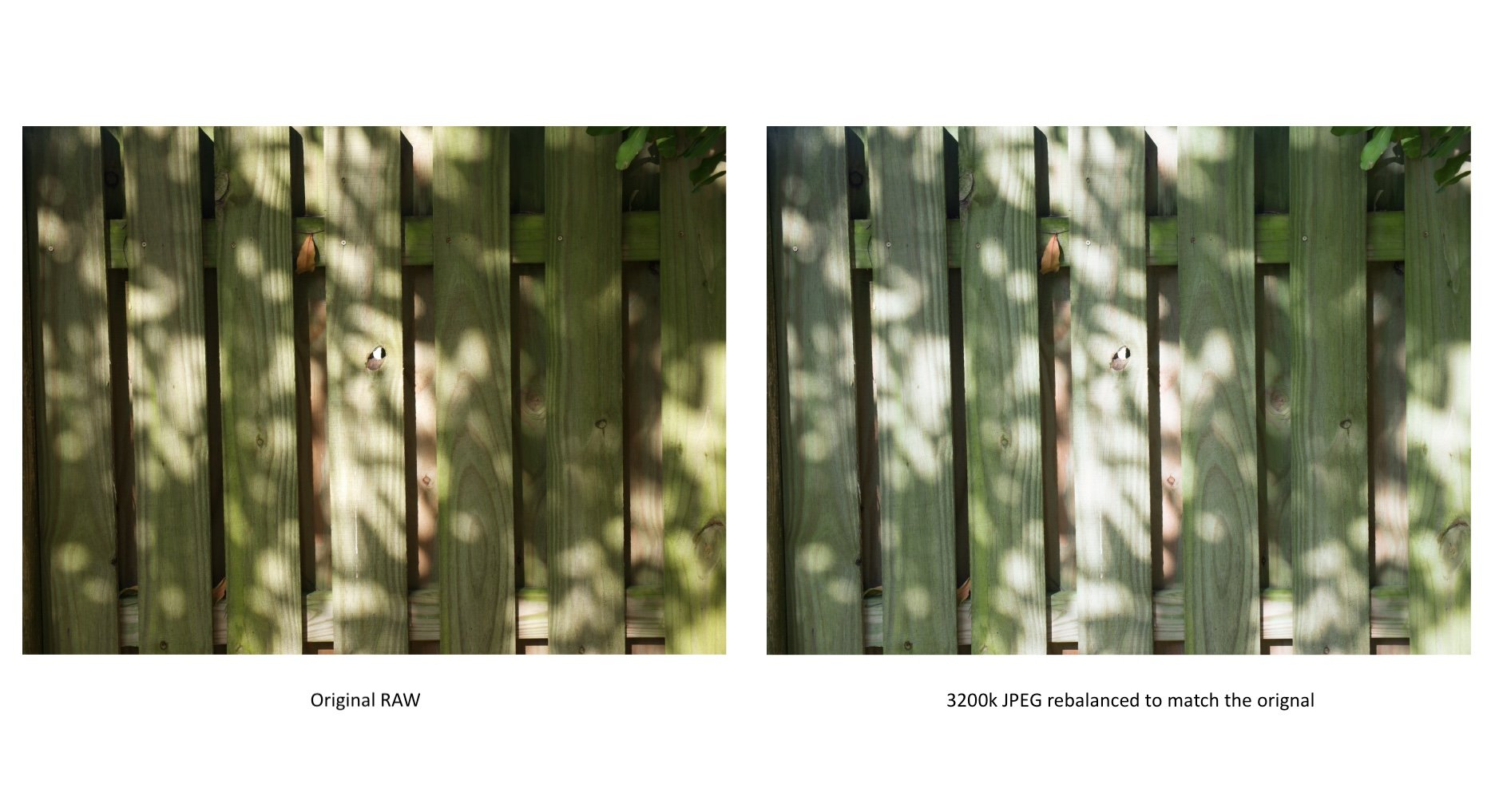
In this next example, we’re going to look at color temperature. I took an example that was shot with an outdoor color temperature of 4641k, and I rebalanced it to 3200k for teaching purposes. From there, I exported the wrongly balanced image as an 8bit sRGB JPEG and tried to rebalance it to match the original 4641k image. As expected, the results were not so good.
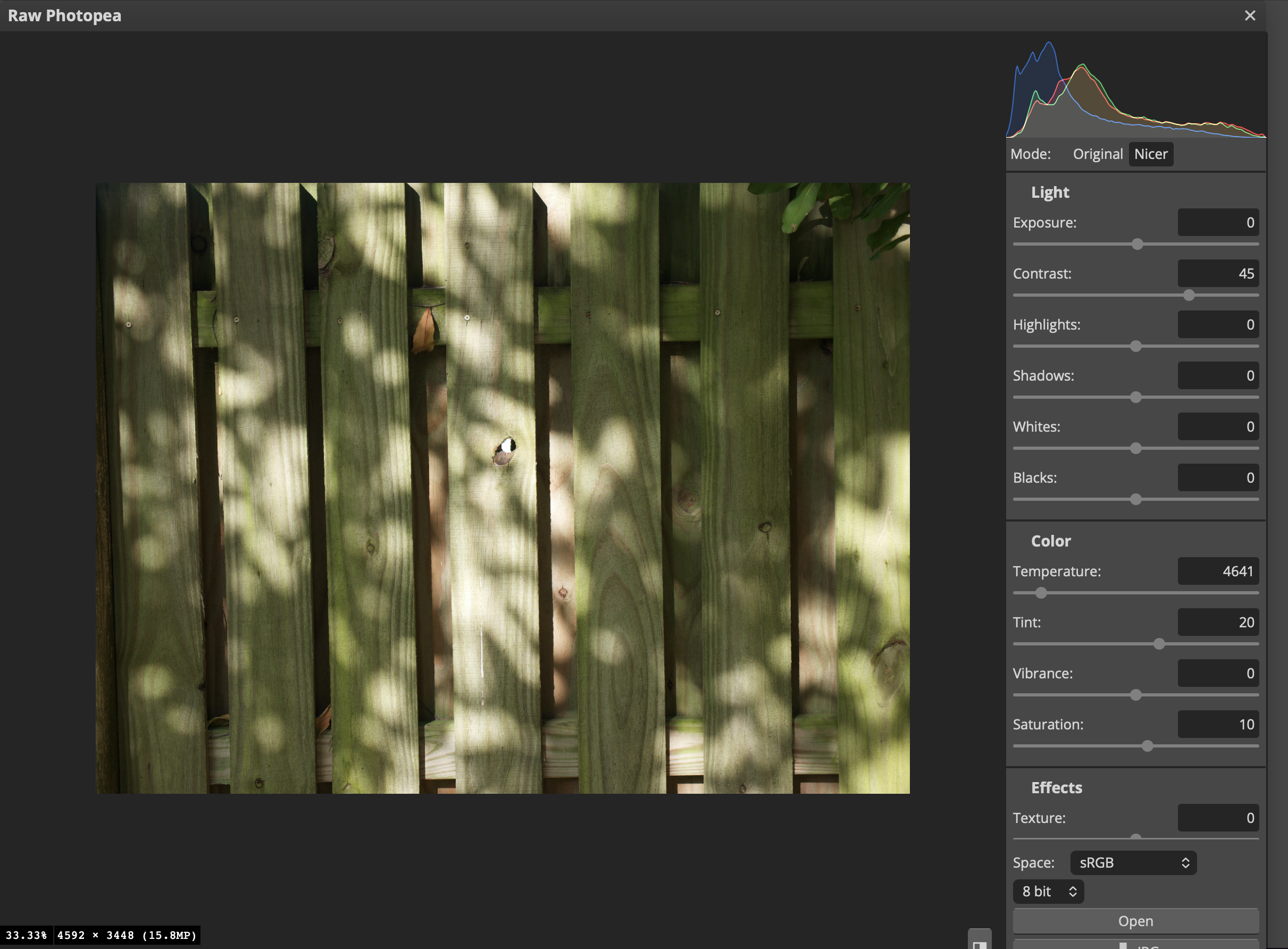
The correctly balanced RAW image at 4641k.
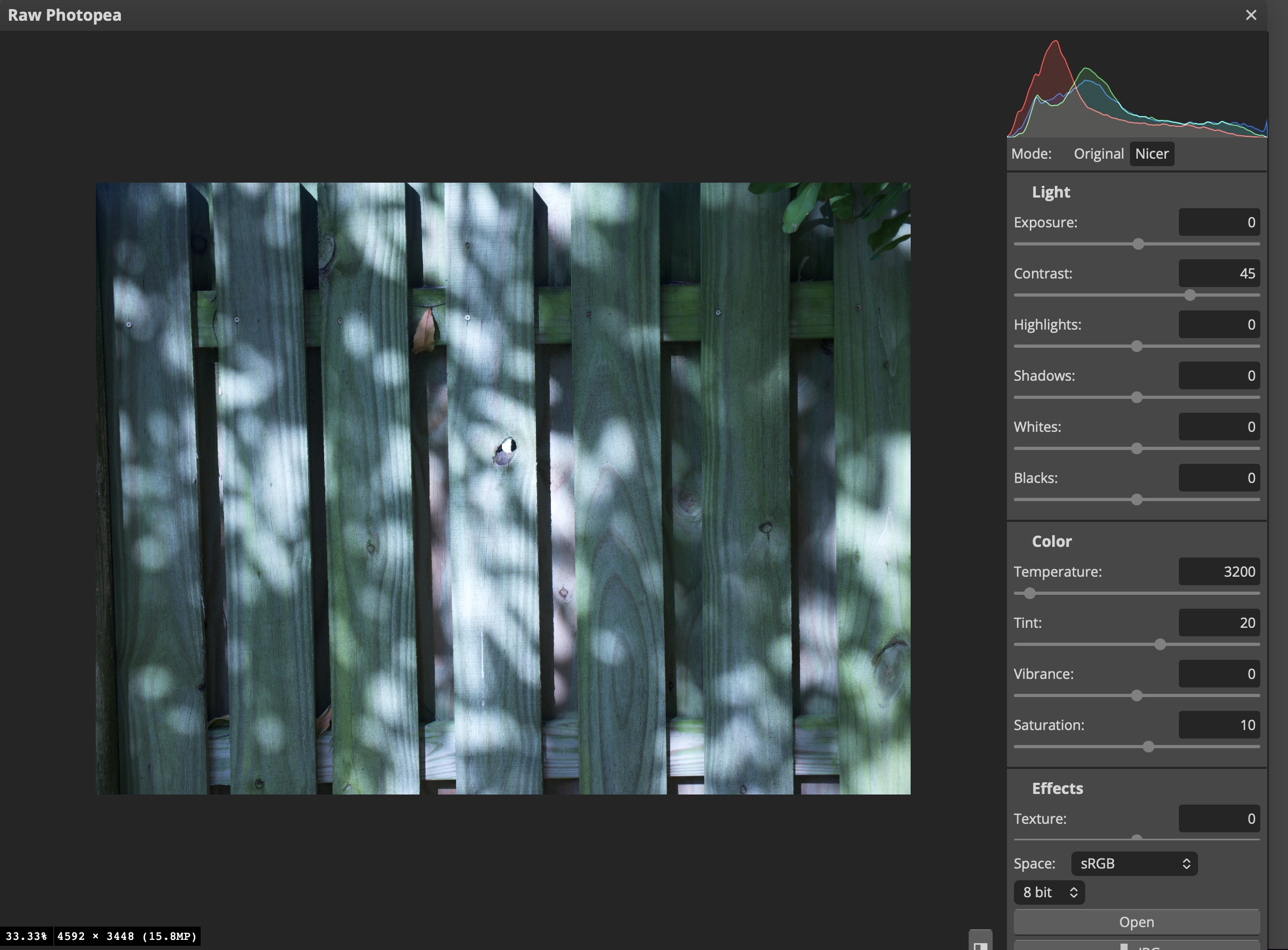
The RAW image balanced to 3200k.
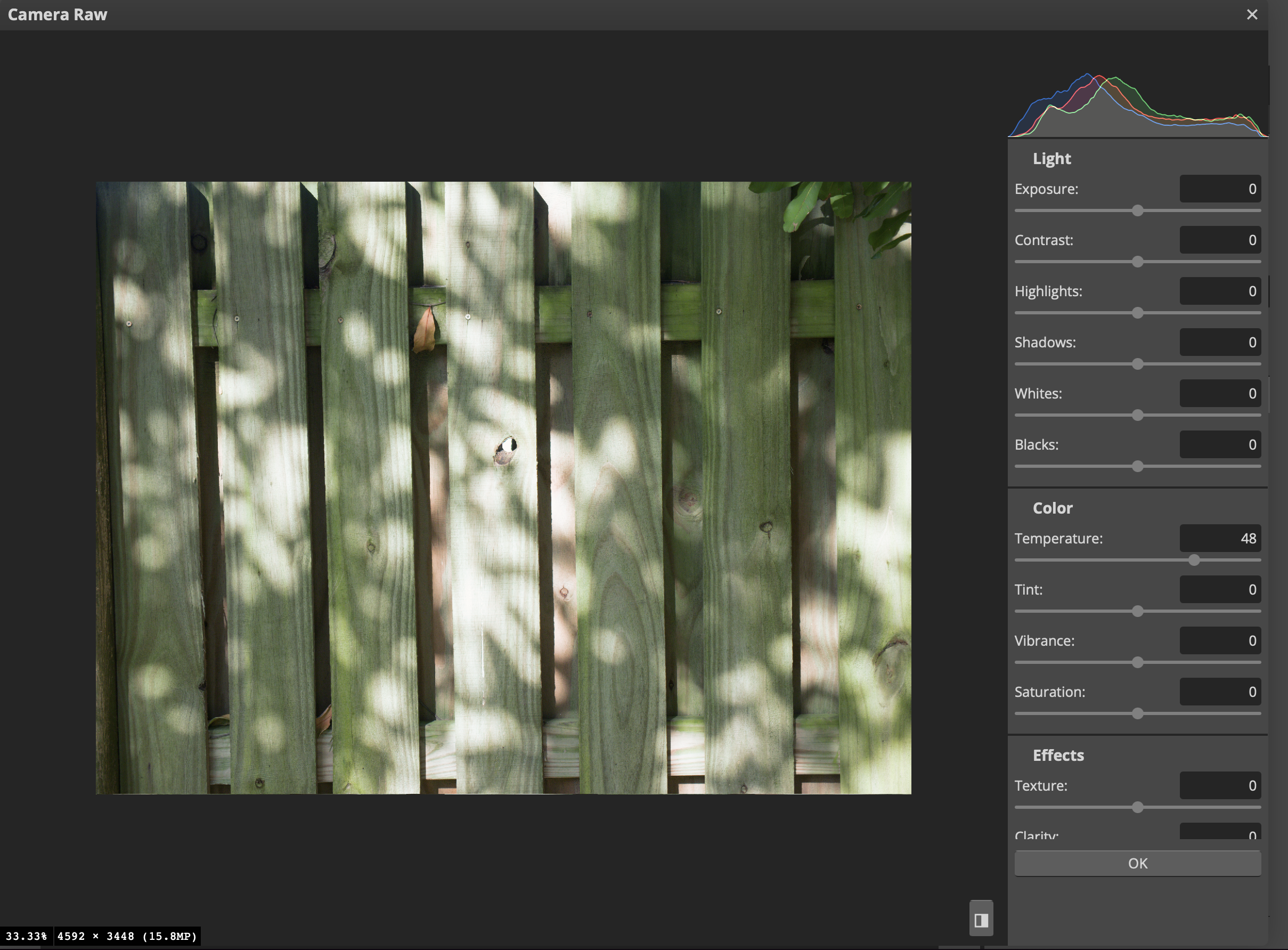
The JPEG image being rebalanced back to 4641k. It’s lacking in color depth/contrast, and it’s not matching the original image.
RAW: Tint Adjustment
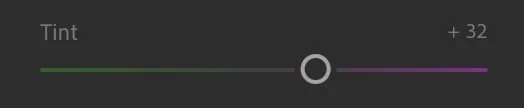
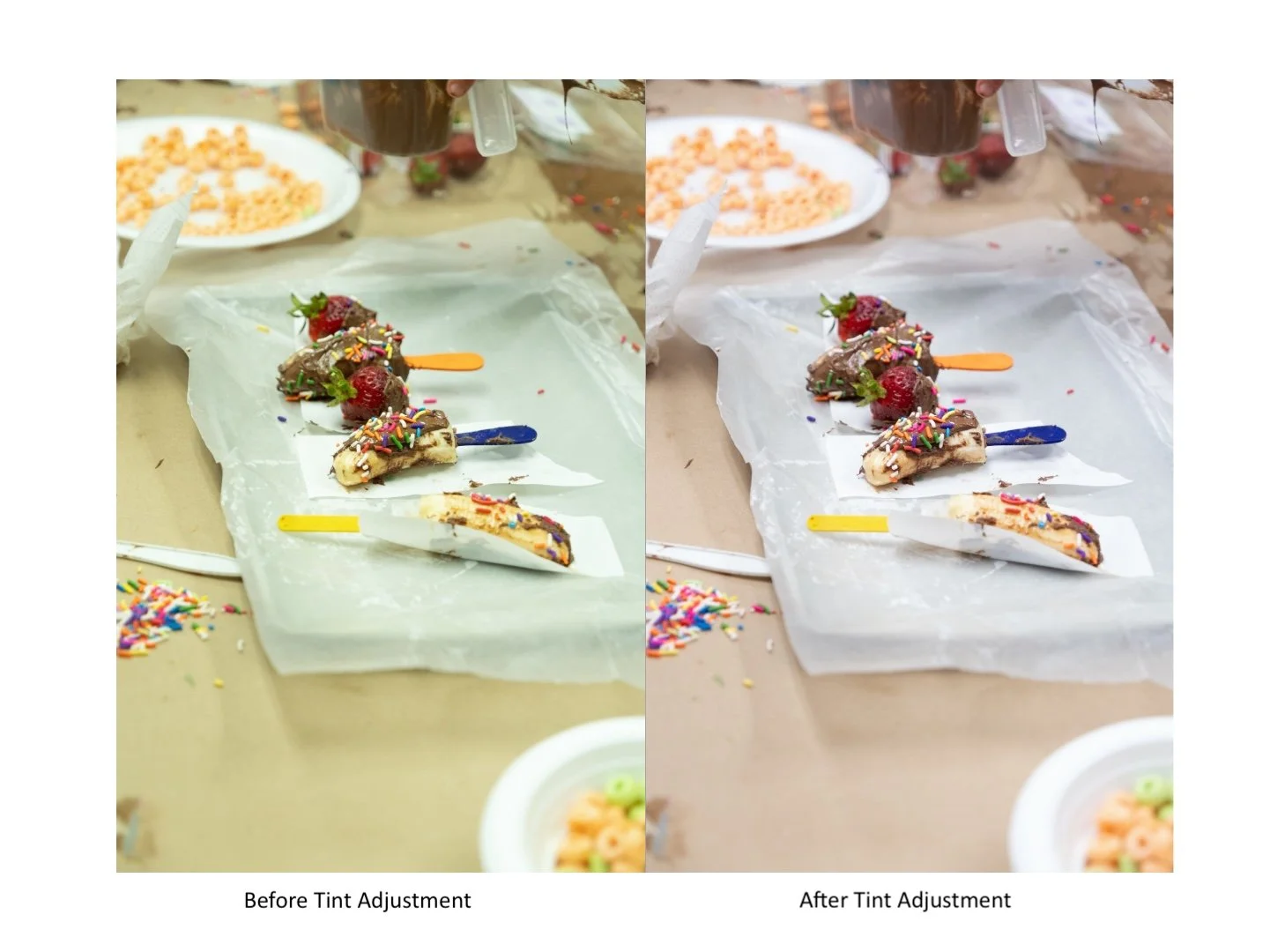
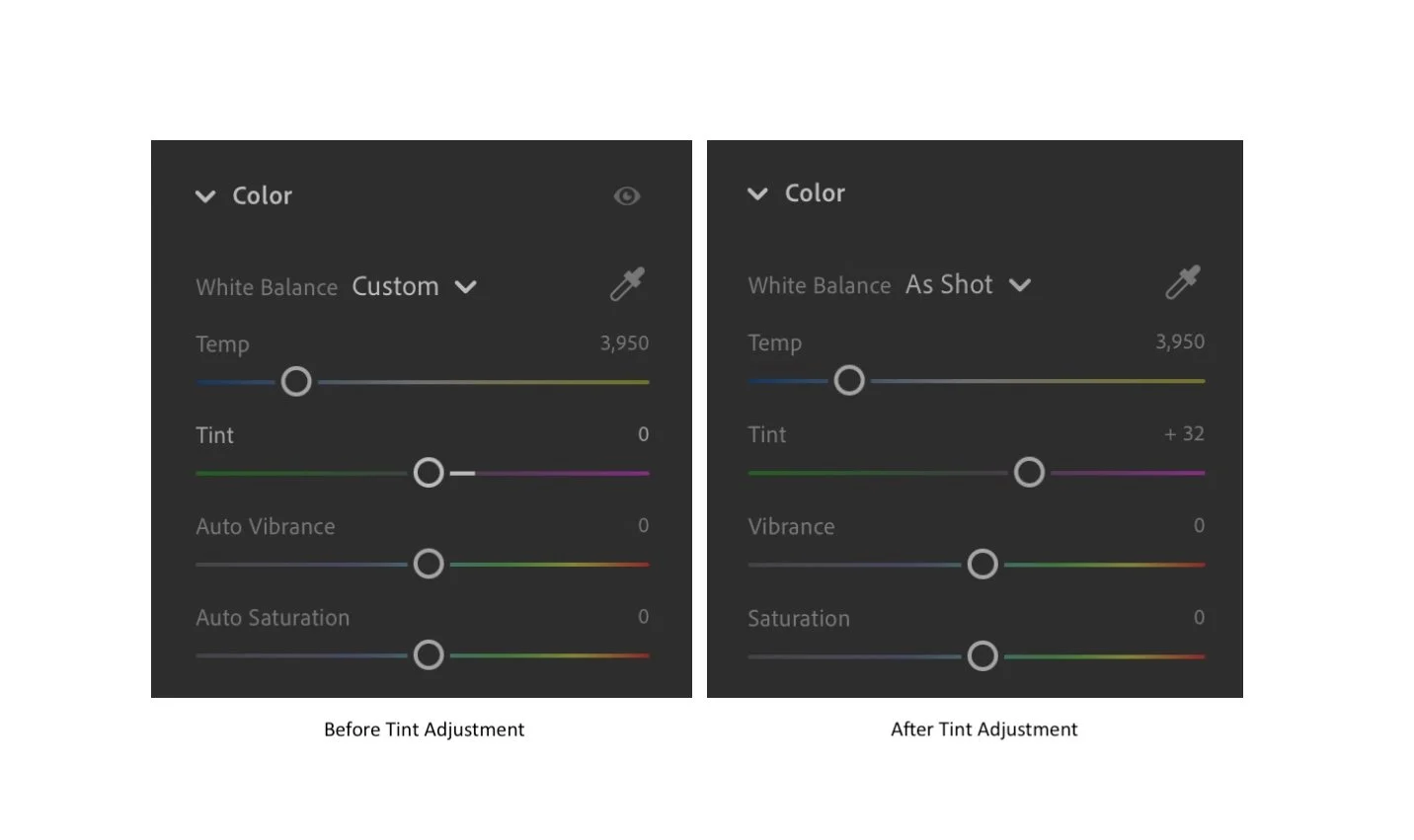
Besides providing control over Color Temperature, RAW affords one the ability to balance out green casts from an image. Let’s say, you were shooting under fluorescent lights. With RAW, that nasty green cast can be removed.
Log Gamma and RAW Video
Next, we’re going to jump into the video portion of this article. Before we start talking about RAW Video, we’re going to talk about Log because the two often get conflated, and I want to delineate between them.
LOG Gamma
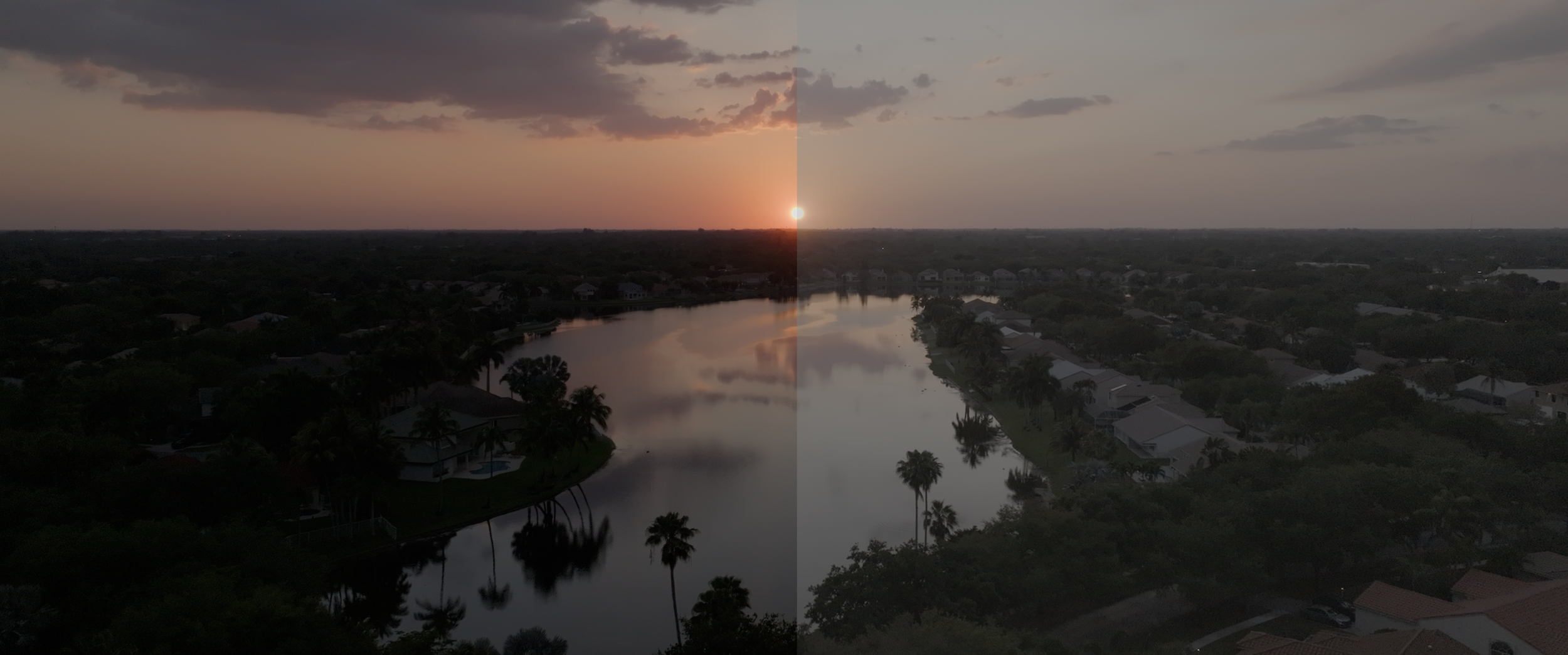
Log is NOT RAW.
Log (short for logarithmic), is a non-linear gamma curve that records luminance logarithmically (similar to how the human eye sees light); the human eye is more responsive to small changes in dim light rather than large changes in bright light. Hence, the chart below stair stepping from black to gray to white.
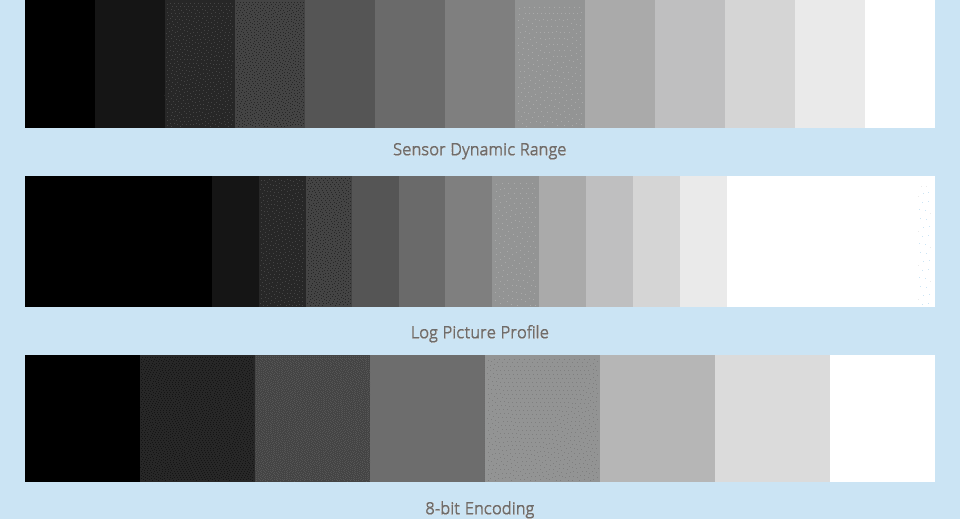
When an image is in 8-bit (bottom of image), the tonal steps are very limited, but when you start going into 10 and 12-bit, the amount of steps increase, and the subtlety of the tones in the image do as well.
The Sensor Dynamic Range bar is most likely representing a 12-bit image.
Source: B&H.com
Unlike an 8bit Rec.709 file, which follows a linear gamma curve like a JPEG (the highlights and shadows are cut off by the limited amount of tonal steps that can physically inhabit the file), Log takes all the highlights and shadows and squeezes them down into the middle of the curve to preserve those tones; this effectively mimics the tonal curve response of film.
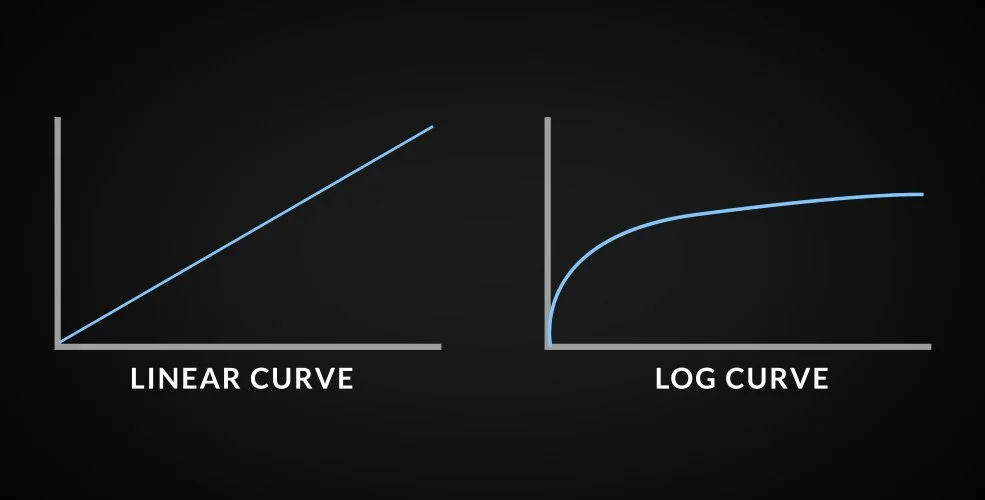
A Linear curve vs a Log curve. The Log curve preserves all of its tones into the middle of the curve.
Source: Pond5.com
The Log curve needs to work in tandem with a higher bit depth and a low amount of chroma subsampling to be most effective.
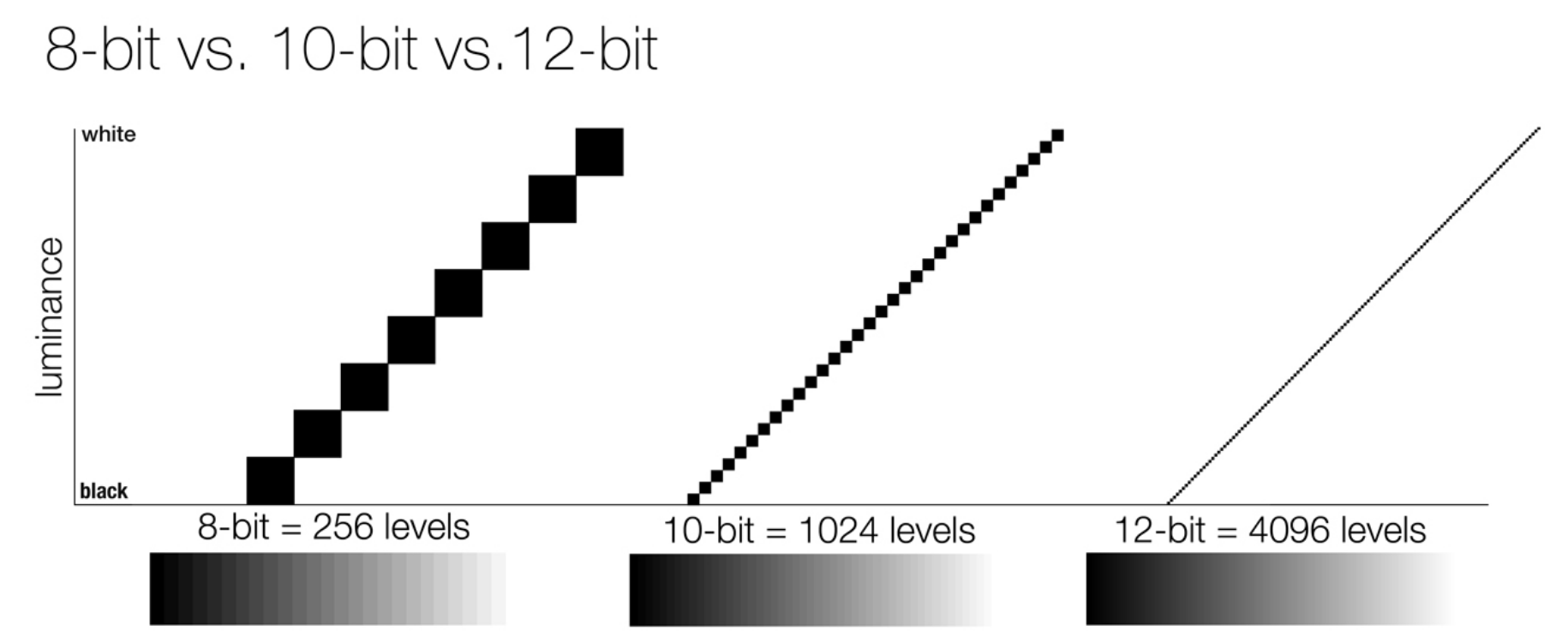
An example displaying the limited tonal steps an 8-bit image has to offer when compared to 10 or 12 bit. The high the bit, the smoother the gradient becomes.
Source: Pixelsham.com
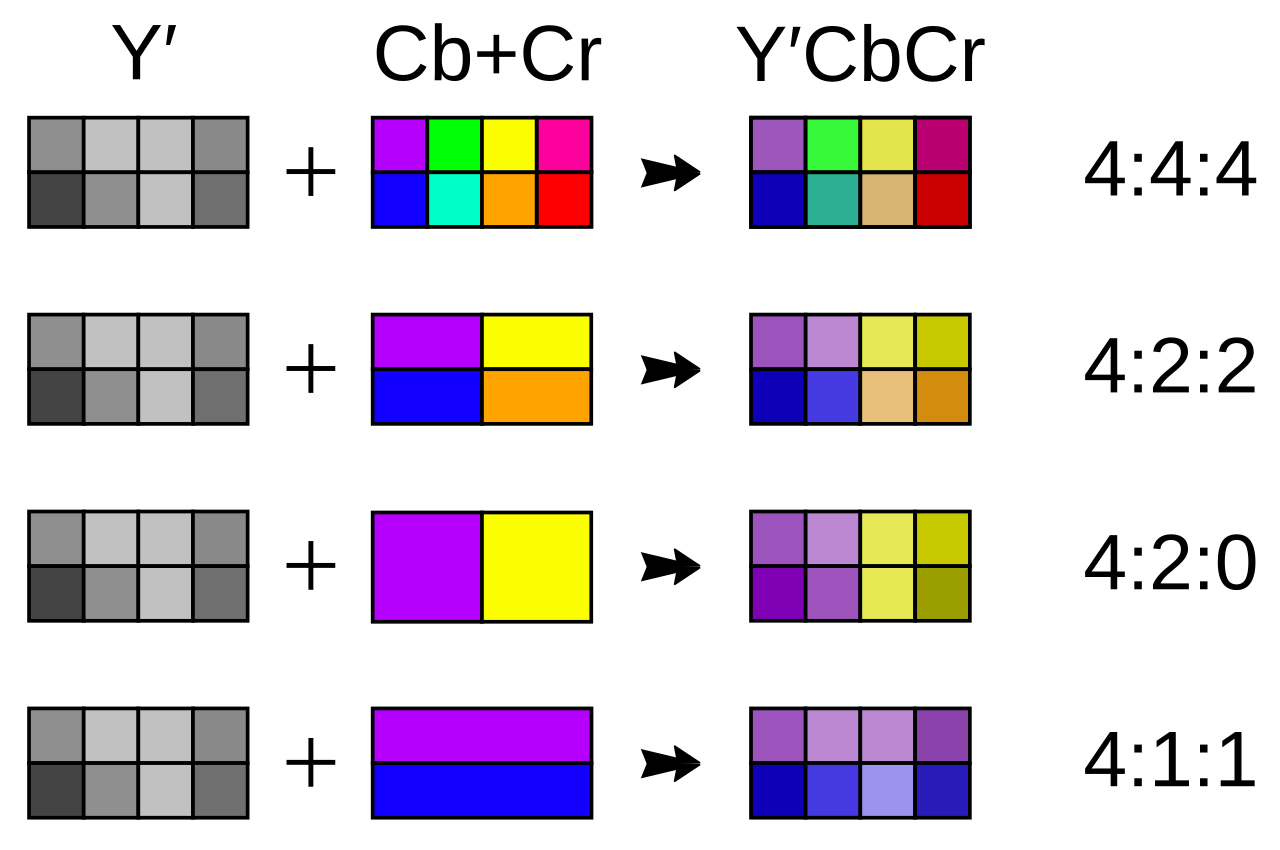
In a 4:4:4 chroma subsampling (low amount of subsampling), each pixel has its own color assigned to it, and they’re all being assigned different luma values. In a 4:2:0 chroma subsampling (high amount of subsampling), 2 pixels per row of 4 are being taken up by the same color, and they’re all being assigned different luma values.
Source: Wikipedia.org
As a quick note, a Log image can be recorded in 8-bit, 10-bit, 12 bit and above. Recording a Log image in 8-bit, though, can be very detrimental to your final product’s overall quality because of the limited number of color values present in each pixel during recording.
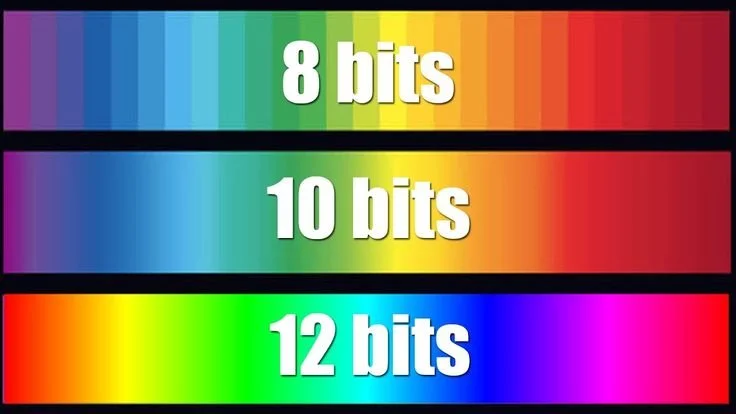
The 12-bit gradient is much smoother and more colorful because it has access to over 68 billion possible colors compared to the 8-bit’s 16.77 million possible colors.
Source: Pintrest
12-bit imagery vs 8-bit. You can see the banding in the sky.
Log was developed to maximize the dynamic range of non-RAW images; codecs such as ProRes, MXF and H.264 can all house non-linear log gammas. Each company has its own version of Log for their specific camera; for example: Log-C (ARRI), RedlogFilm (RED), S-Log (Sony), F-Log (Fujifilm), and the list goes on.
A popular Apple Codec that is industry standard.
Source: ARRI.com
If you shoot in a non-RAW codec, the Log Curve you apply to the clip will be baked into (permanently applied to) your image; the same goes for your color temperature and tint. Because of that, you need to be more intentional with your camera settings when shooting with a non-RAW codec. When capturing 12-16 bit files, the clips include very large amounts of color data, unlike 8-bit Rec.709 files; therefore, you can rebalance an incorrectly color-balanced image with ease.
Below are stills from two ARRI Alexa clips I shot in 2022; the footage was recorded into a ProRes 4444, 12 bit, 2048×1152 container with a Log-C gamma curve and an ARRI Wide Gamut 3 color space. The color temperature was incorrectly set in-camera to 3200k for demonstration purposes, and was shot alongside a control clip that was balanced, on the day, for 5600k.
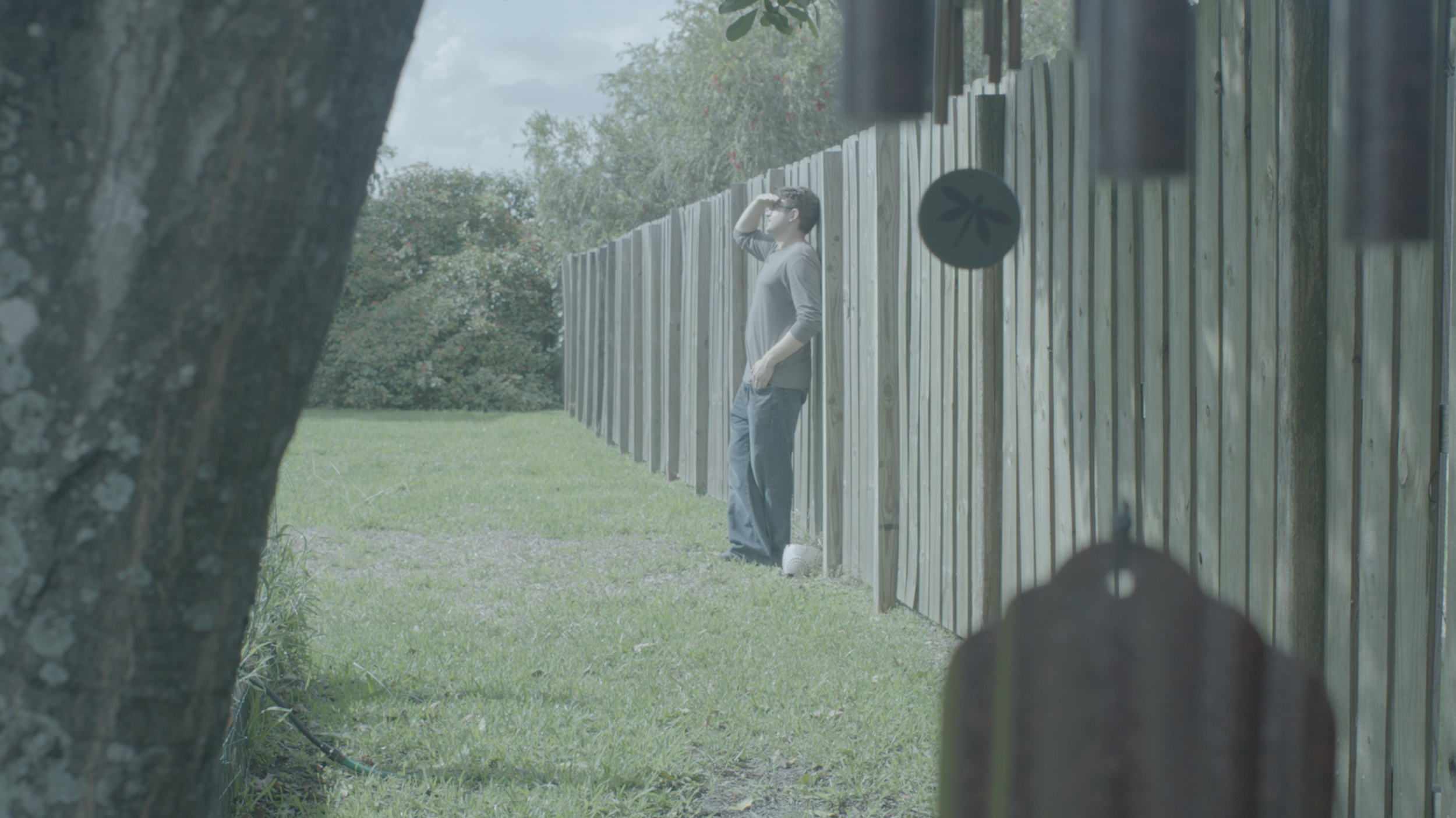
The 3200k Log-C image with no correction applied.
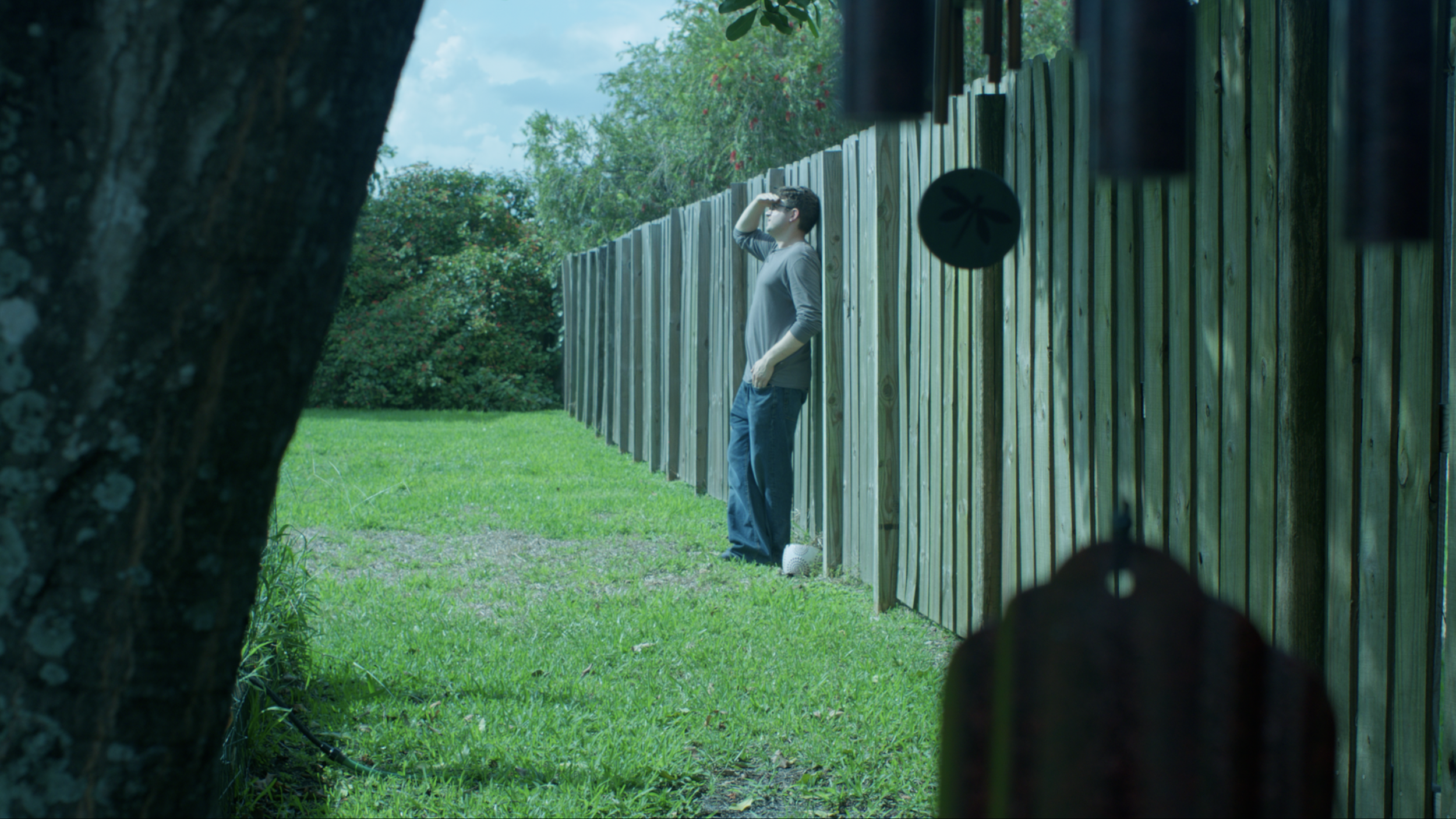
The 3200k Log-C image with Input and Output Color Space Transforms applied.
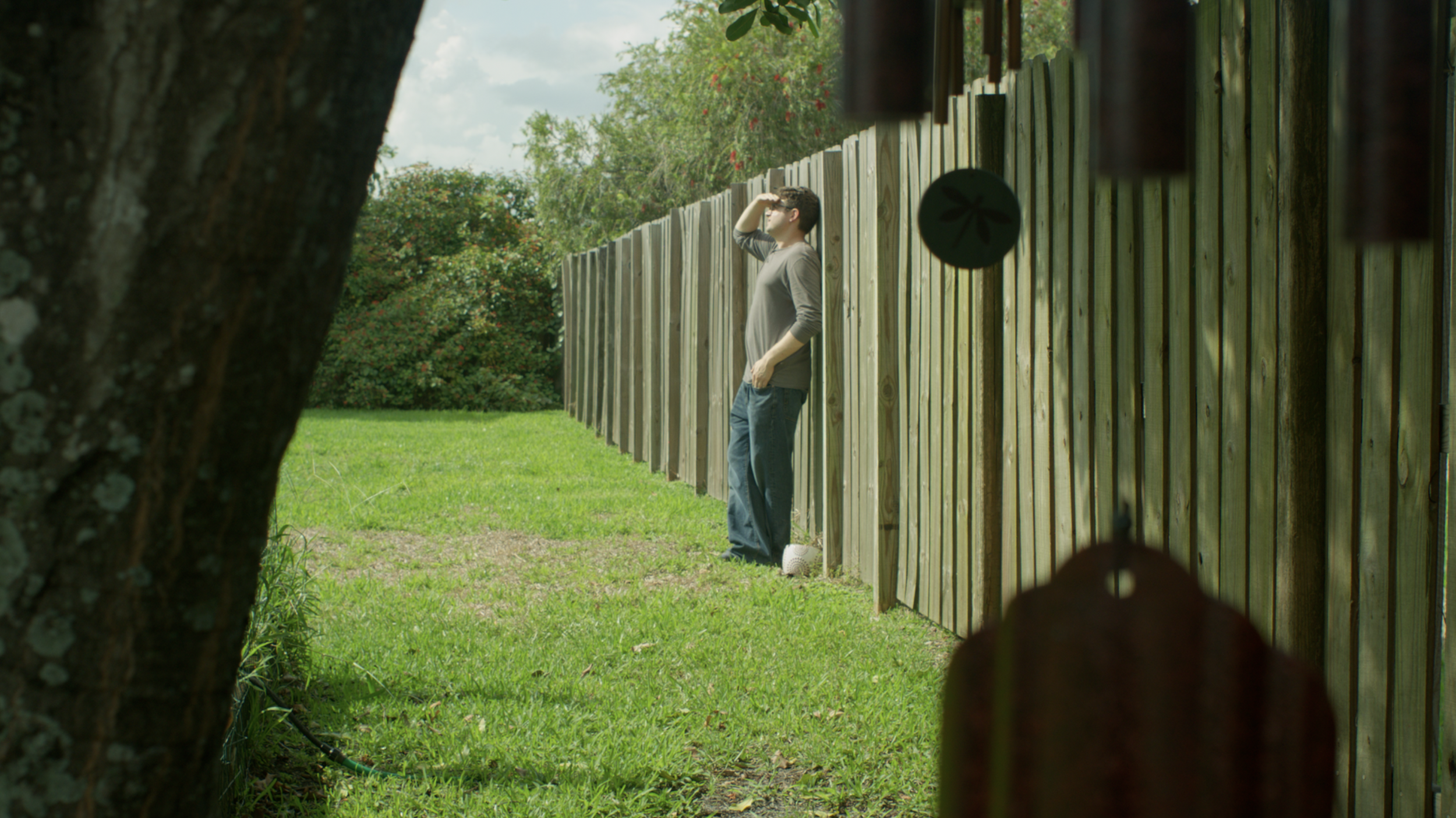
The 3200k Log-C image balanced back to 5600k. It’s very close to being correct. There are minor differences when compared to the control 5600k.
The 3200k Log image vs the control 5600k Log image. Both were balanced in camera.
Very similar.
RAW Video
Shutterstock.com
RAW is NOT Log.
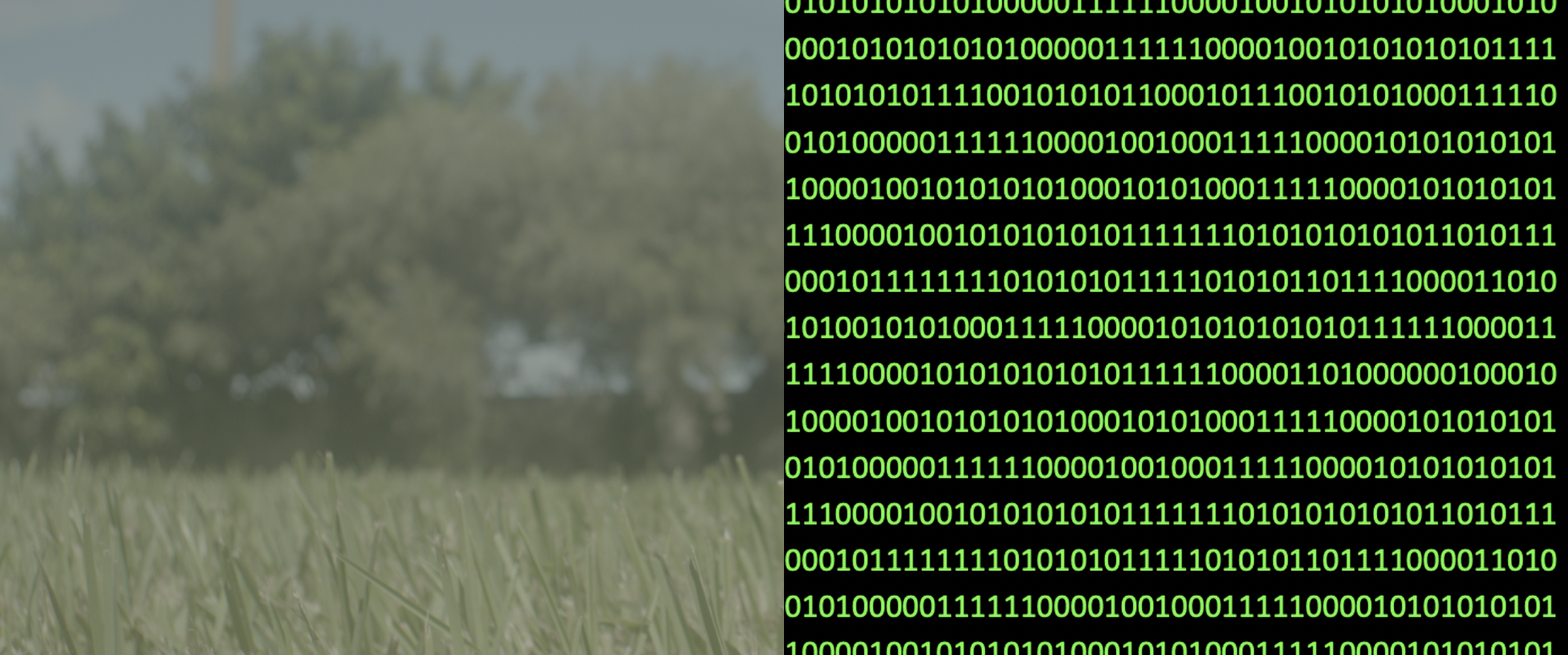
Like RAW photography, RAW Video is all the information captured directly from the sensor and recorded to an HDD or SSD as unplayable 1s and 0s. Though, not all cameras that shoot in RAW shoot true RAW.
If you’re shooting with RED or Blackmagic, you can shoot in a lossy (compressed) format to reduce data sizes while retaining the benefits of RAW. For example, if you were to shoot on a RED camera with a 7:1 compression ratio, the image would be 7 generations removed from the original image quality as opposed to a 2:1 ratio, which would be 2 generations away. The quality for either ratio is very nice.
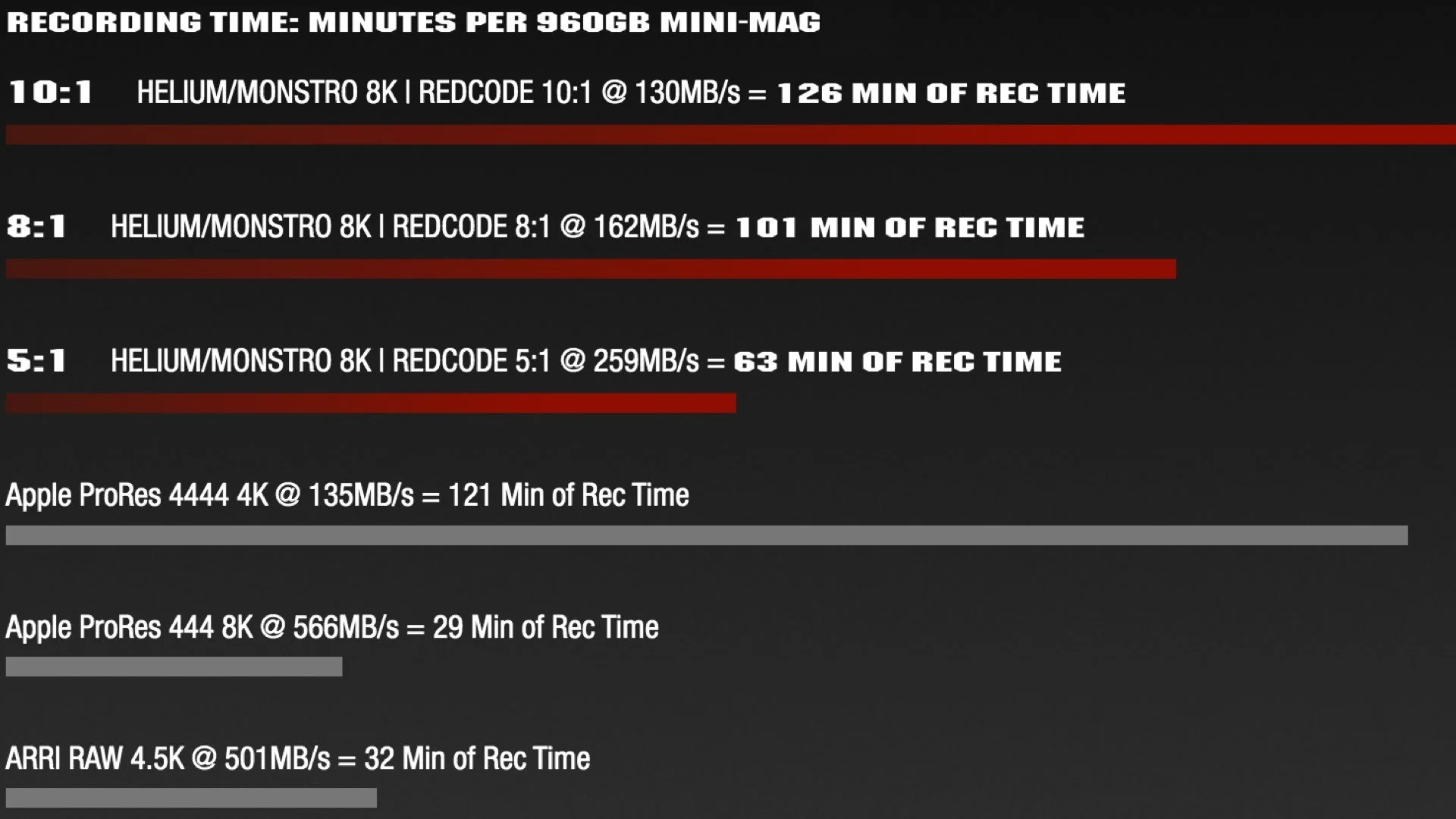
A chart demonstrating how shooting in a lossy REDCODE format on RED can reduce data rates and increase recording times when compared to ARRI’s non-RAW/debayered ProRes files and RAW/lossless ARRI RAW.
Source: YMCinema.com
ARRI cameras on the other hand, due to their uncompromising and unrelenting pursuit for quality, shoot RAW as losses (uncompressed); true RAW. The file sizes are massive, but are the best in the business. Because they come into the computer as pure RAW data, the ARRI files need to be encoded (converted into a coded form) in order to be read as video.
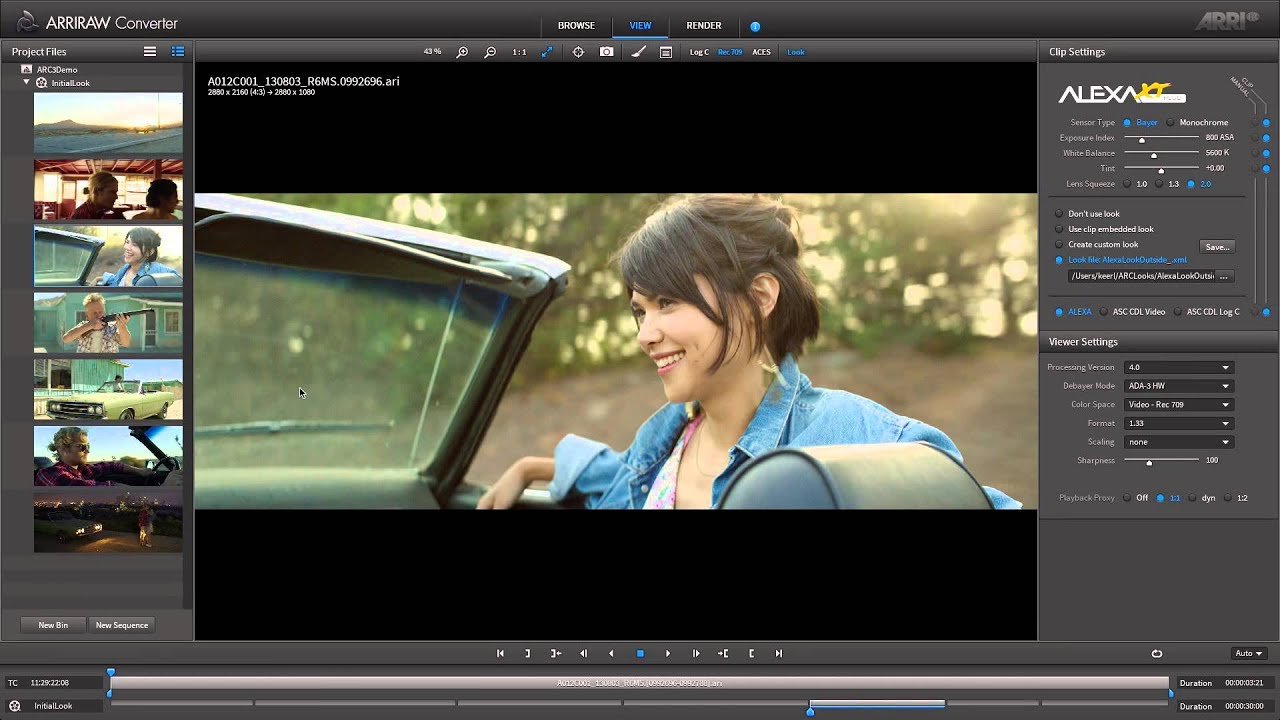
ARRI’s ARRIRAW Converter software.
Source: ARRI.com
Like RAW photo, RAW video is not married to any linear or non-linear Log gamma curve, like codecs are, and has the ability to accept any linear or non linear gamma curve you throw at it. With RED footage, you can implement different types of Log curves and multiple types of Gamma curves in the Camera RAW tab.
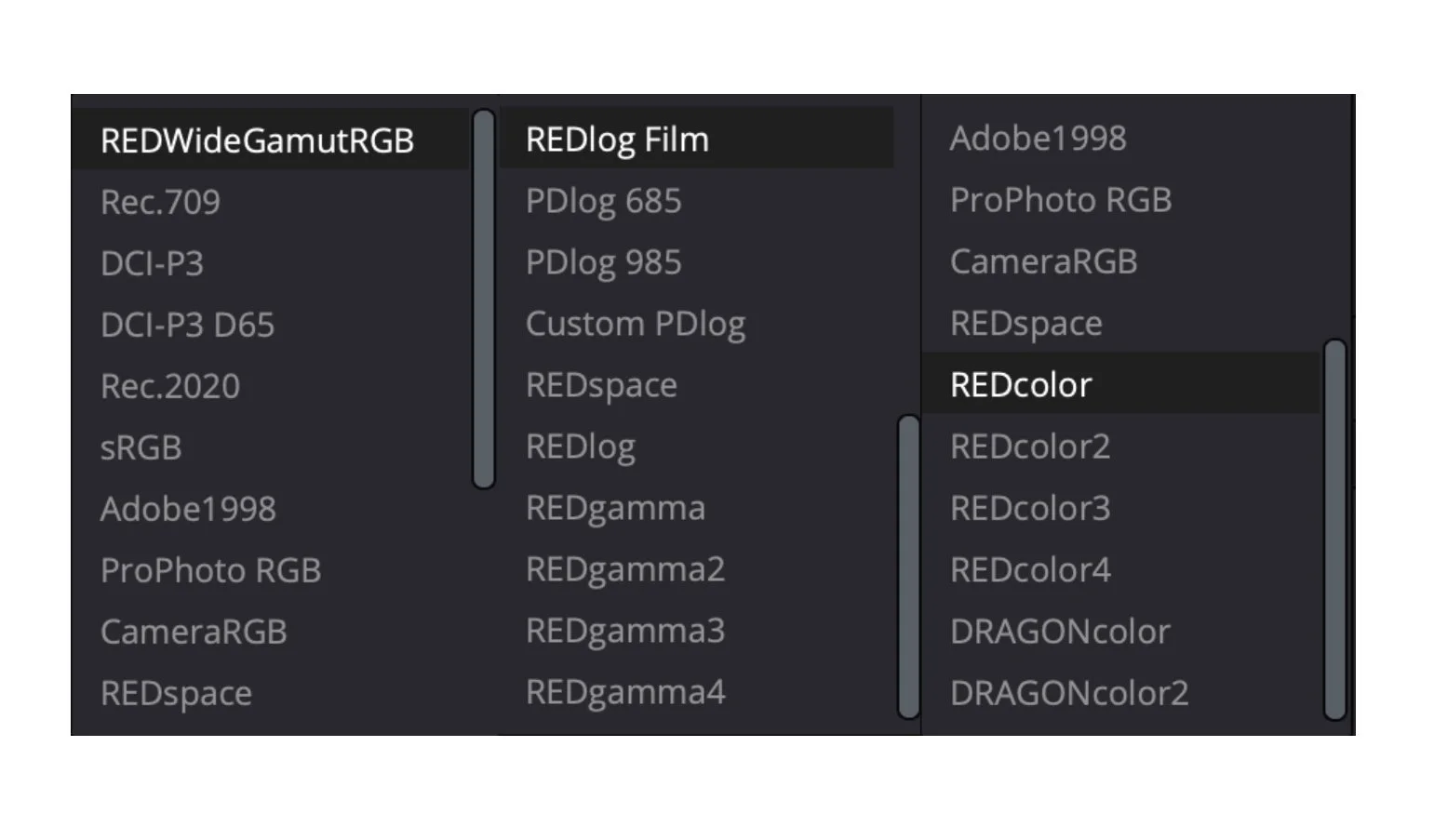
The Log and Gamma Curves available to RED cameras in DaVinci Resolve’s Camera Raw tab.
These Log and Gamma Curve options can be used by other cameras as well.
To further help you understand how tweak-able RAW video settings are in post, we’re going to look at some footage shot in 2021 on a RED Helium S35 8K camera. You can download this footage from RED.com.
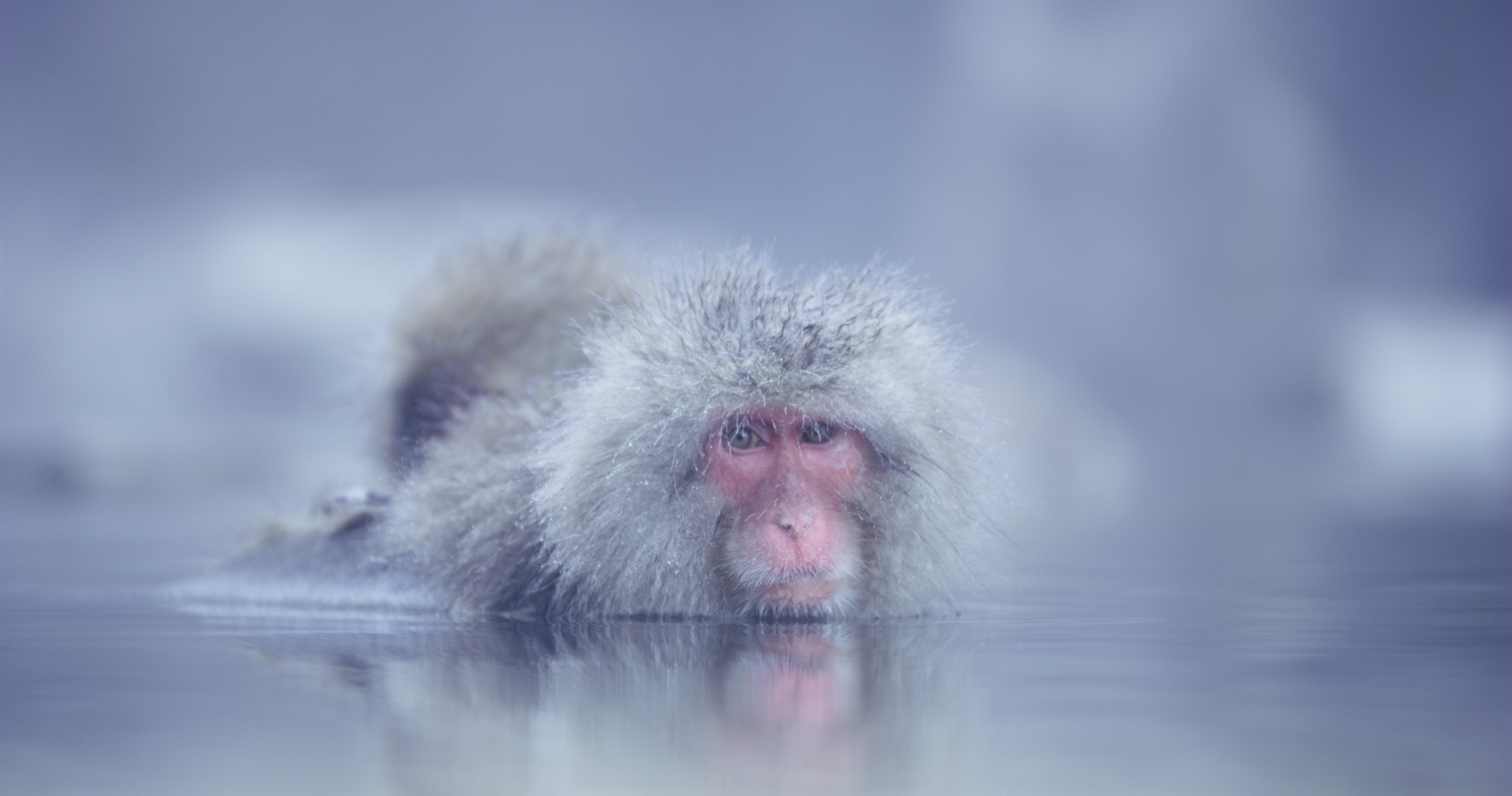
The footage, when it was decoded, had the Project setting enabled in DaVinci’s Camera Raw tab. The image may need a few adjustments before it looks picture perfect.
Source: RED.com
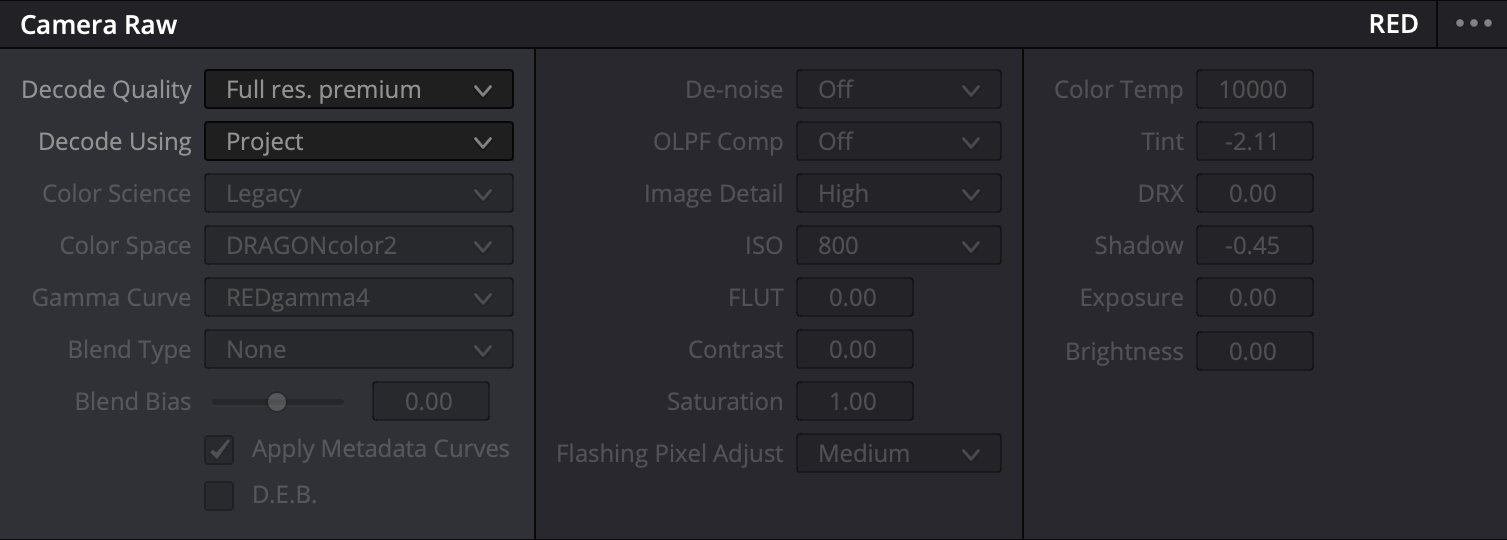
The Project setting locked the footage into a Legacy Color Science with a Dragoncolor2 Color Space and a REDgamma4 Gamma Curve.
The camera was set at ISO 800, and the Color Temperature was 10,000k.
It was captured with an overlayed (not baked in) linear curve, so the image could be viewed properly through the viewfinder and potentially be used for a faster workflow in post.
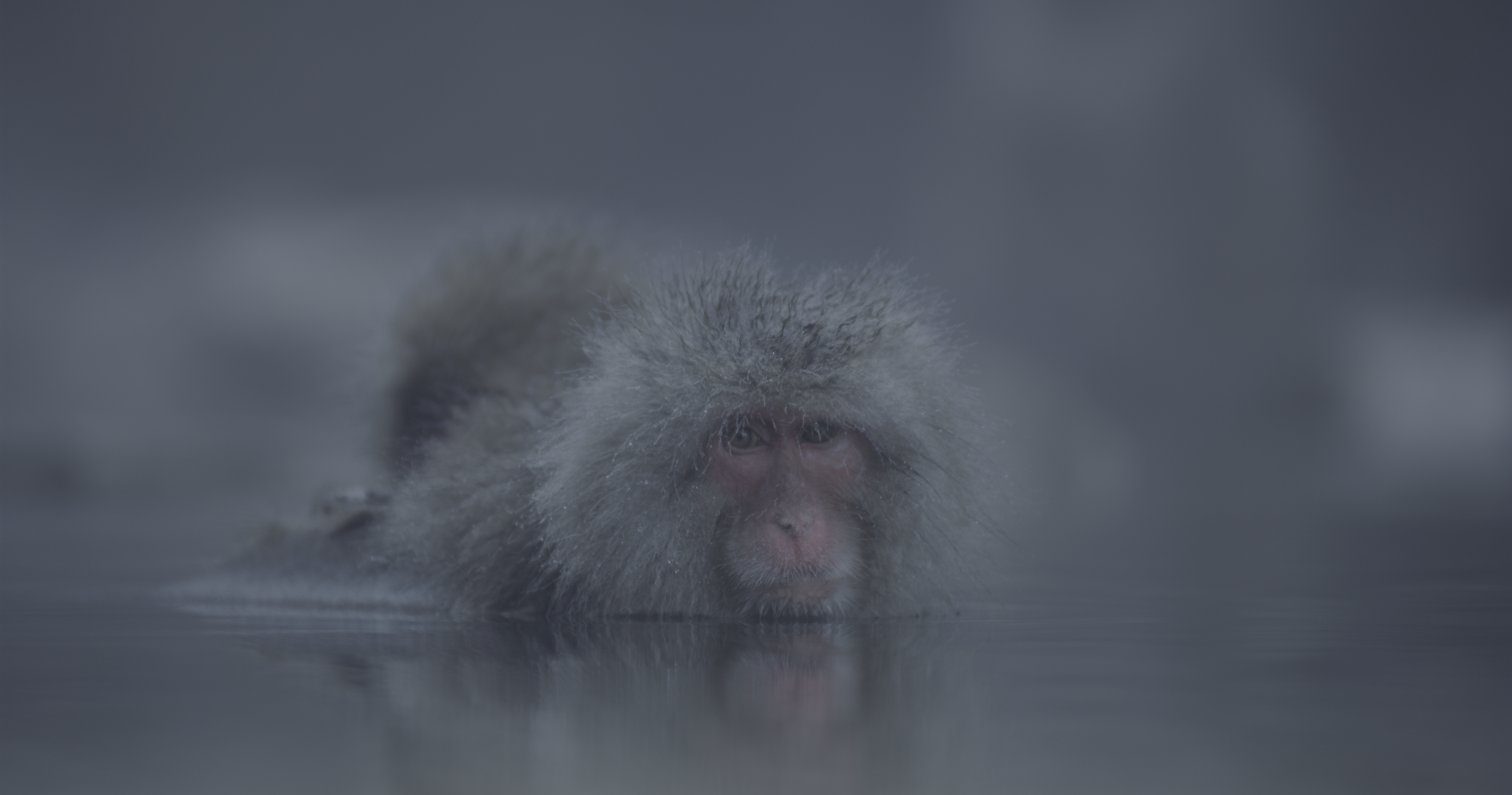
The image in REDlog Film before being colored the way I wanted it to look.
I achieved this by changing the Decode setting from “Project” to “Clip,” which allowed me to use the REDlog Film non-linear log gamma.
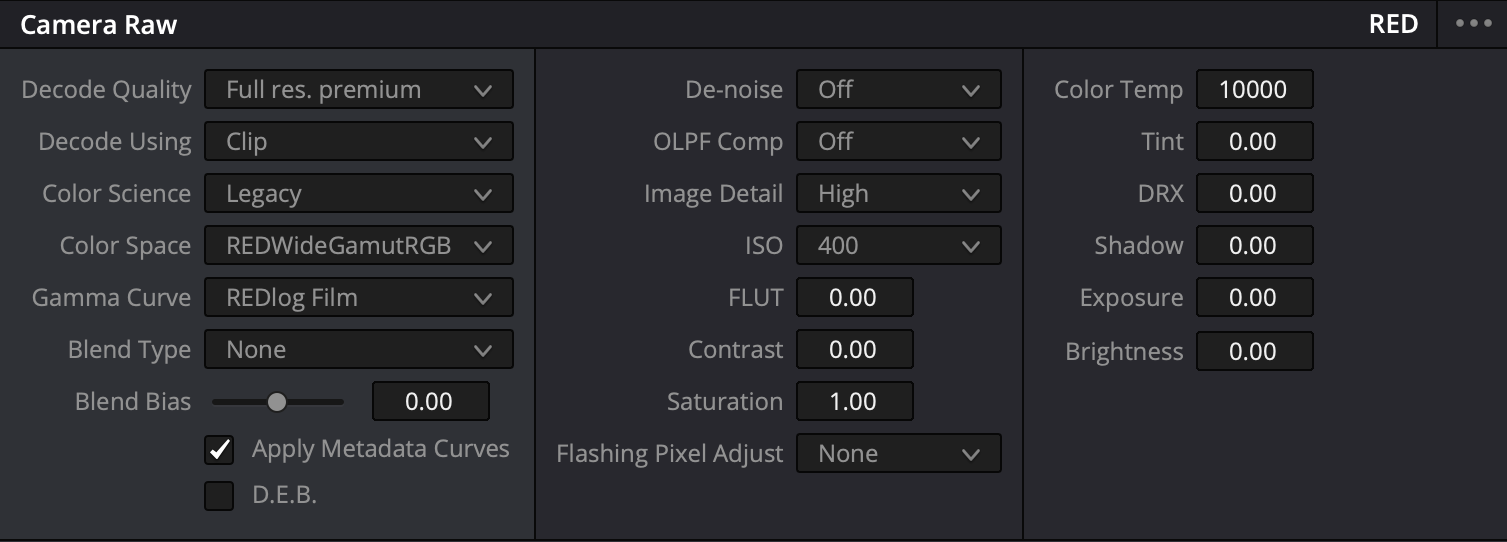
The image is now decoded using the “Clip” setting, and I have access to an array of settings including, Color Temperature, ISO, Tint and more.
My Color Science is now Legacy with a REDWideGamutRGB Color Space and a REDlog Film Gamma Curve. The ISO is set to 400.
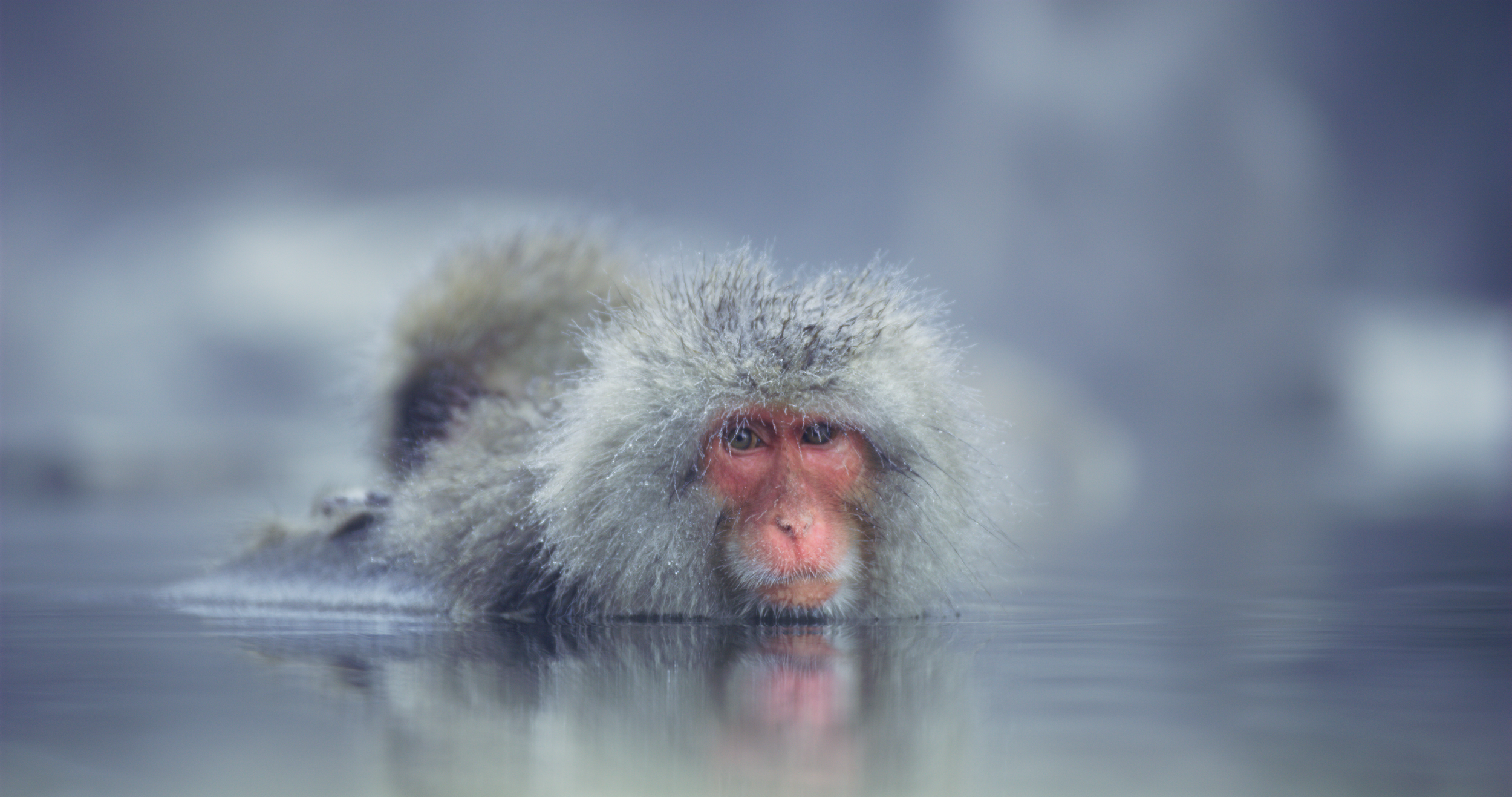
The final image.
RAW: Internal Vs. External Capture
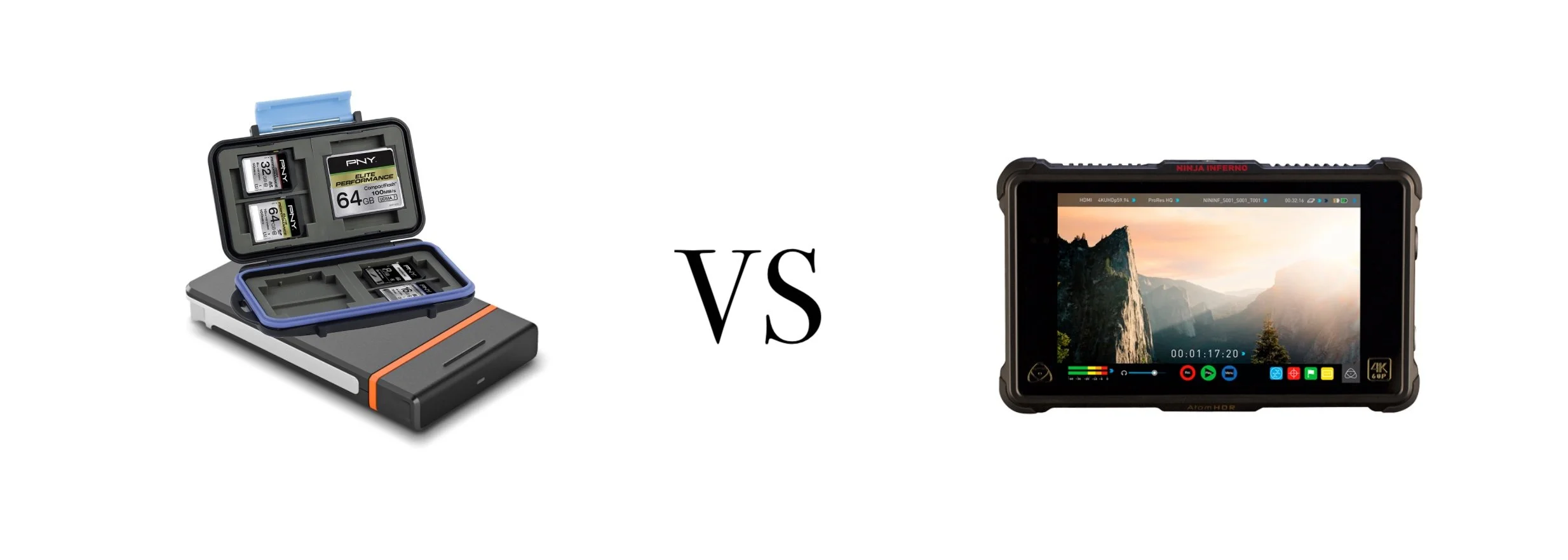
Not all cameras are created equal. Some record RAW internally, while others do not. This is a really important consideration to take into account before making your next camera purchase.
One of the benefits of recording internally is that you don’t have to power or depend on an external device to record your footage. It allows for a faster and simpler workflow. You record to your card, and it’s off to the DIT cart or edit bay.
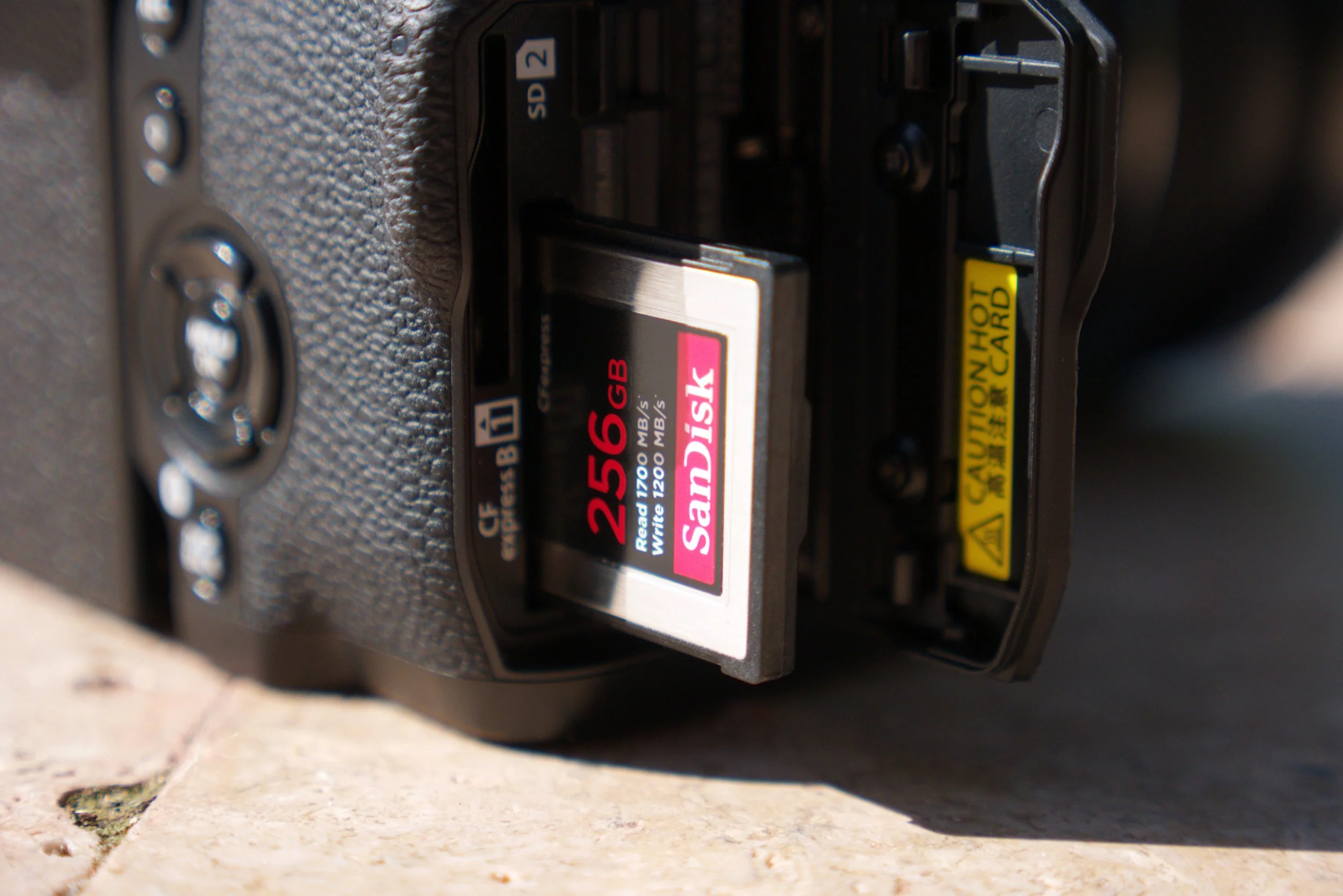
With an external RAW recorder, not only do you have to power the external device with separate set of batteries, but you have to acquire memory that’s proprietary to that hardware type. Plus the fact that you need a mount that can support the recorder. That’s a lot of extra money.
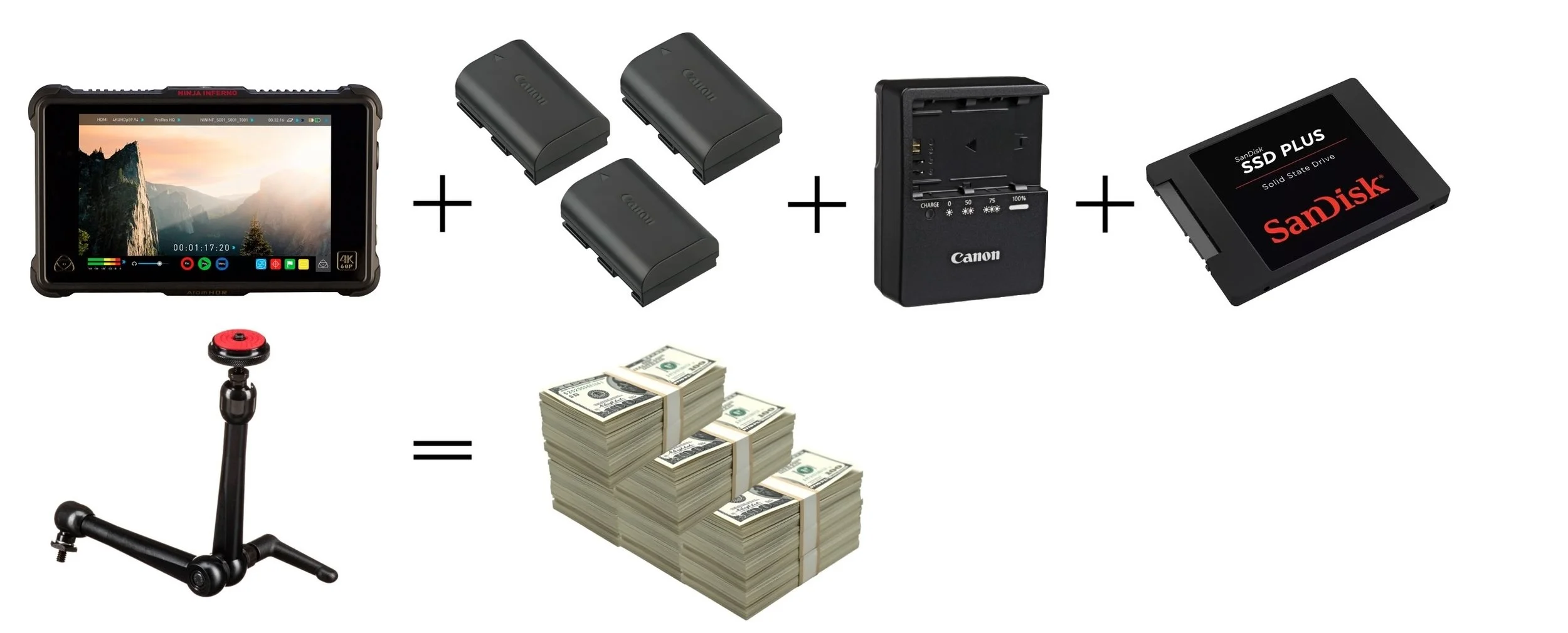
The requirements for an external RAW recorder. It all adds up.
Who is RAW For?

RAW is for filmmakers who require maximum flexibility in post and/or are working with a team of VFX editors. It’s also for photographers who need the extra flexibility while shooting in uncontrolled environments and artists who are working on high-end creative and commercial projects that are going to be displayed in a variety of viewing spaces such as buildings, billboards and museums.
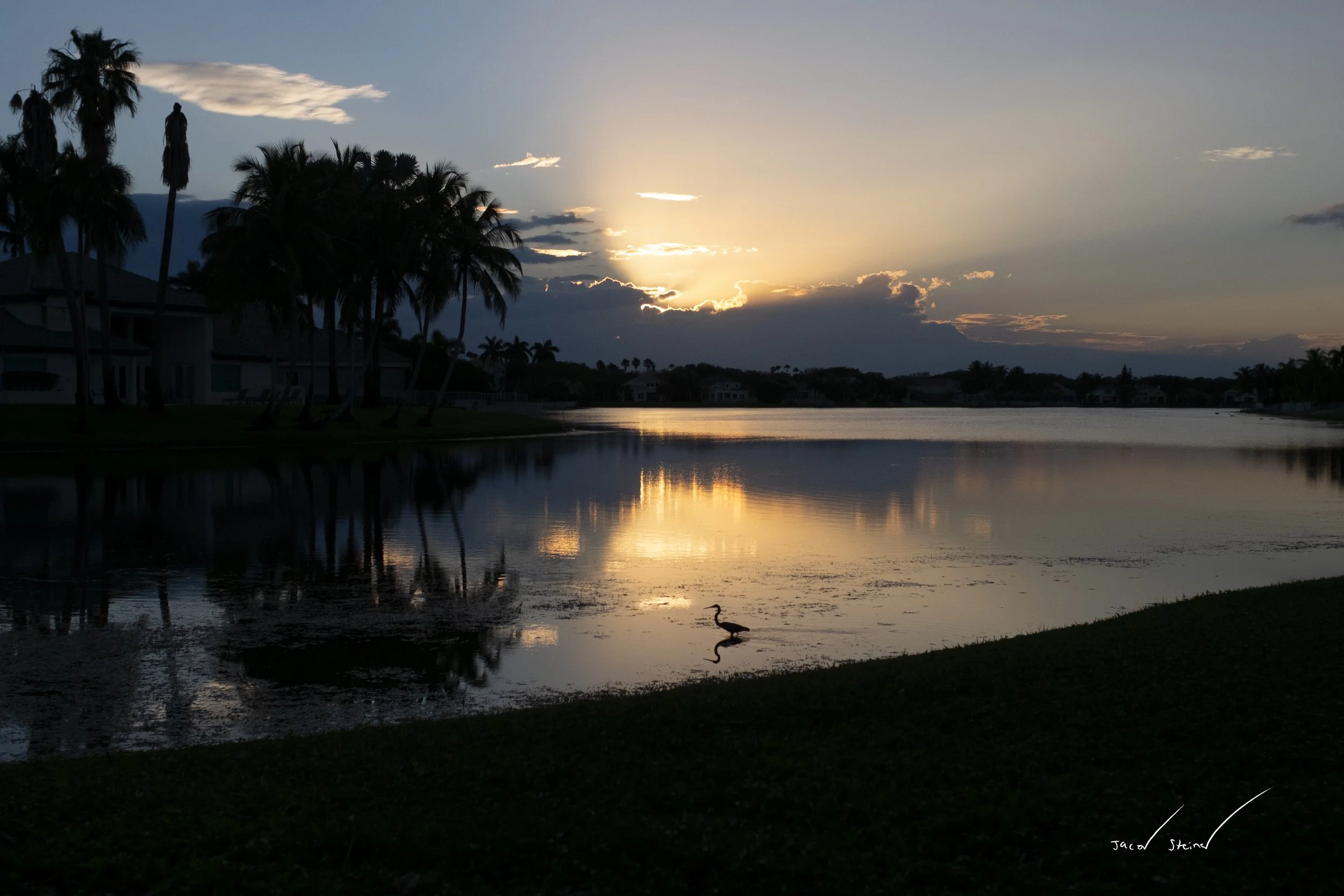
Shooting in 12-bit RAW helped me capture the subtle hues of the setting sun.
Camera: Fujifilm Xe1 I Lens: Nikon Nikkor-H 28mm I Year: 2022
Finally, it’s for those who have tons of drive space. RAW files (video or still) take up a lot of room on Hard Drives, which will cost you money in the long term.
In Conclusion
Source: Adobestock.com
While RAW is an amazing tool to have at one’s fingertips, it’s a feature that shouldn’t be used haphazardly and is not a substitute for proper camera operation. It exists to help the artist capture tones and colors that wouldn’t otherwise be able to have been captured in a linear, compressed format.
With that said, once you nail down the basics, and you’re ready to take your images to the next level, RAW is the way to go.